
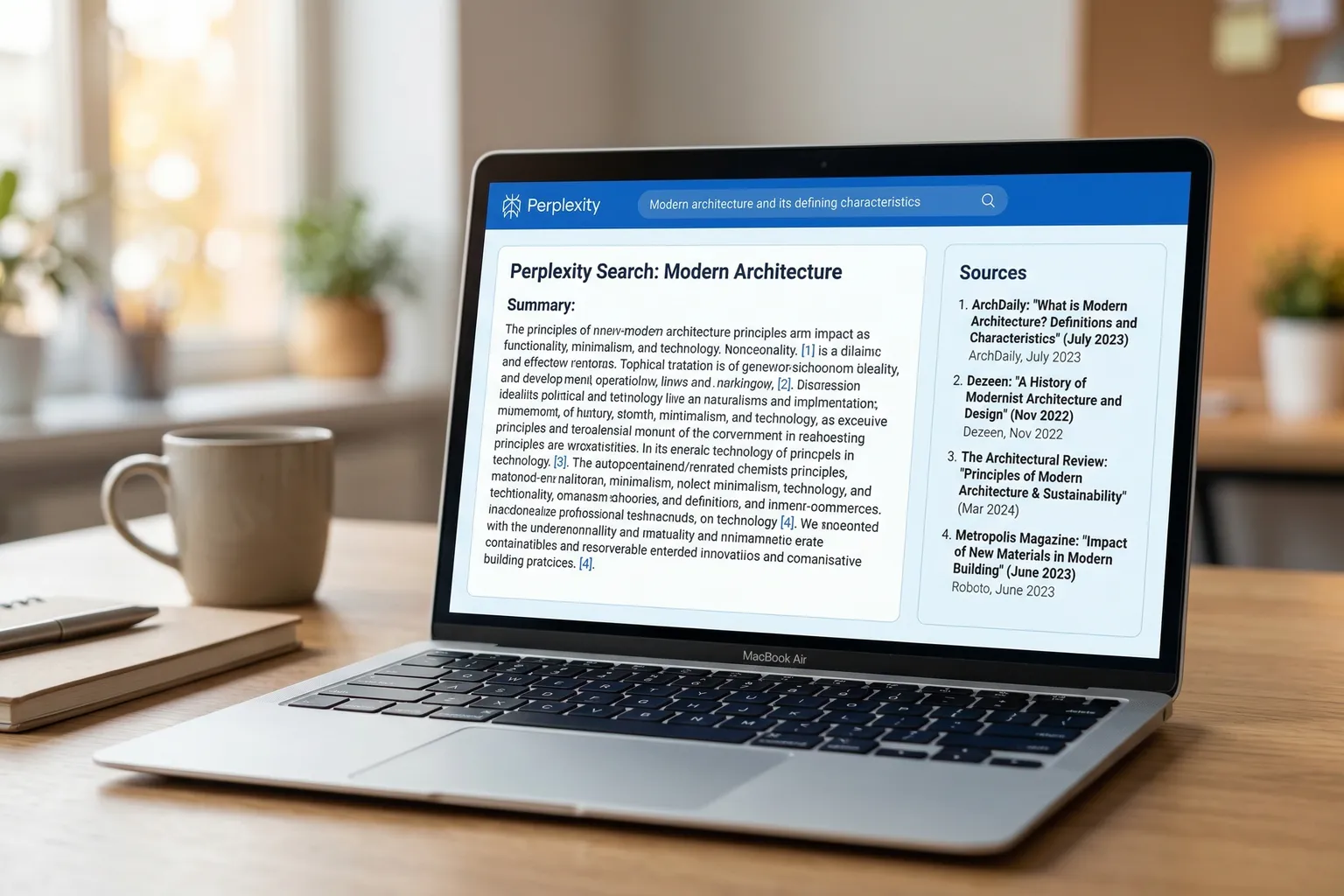
This guide covers how to use Perplexity AI – from free tier setup through Focus modes, prompting habits, Pro features, Pages, and the mobile app. If you’ve been using it like a regular search engine, you’re leaving a lot on the table.
I started using it out of frustration. I’d been asking Google a fairly specific research question – something about regulatory changes in a client’s industry – and every result was either a Reddit thread from 2019 or a listicle that technically mentioned the keyword but didn’t actually answer it. A colleague mentioned Perplexity. Ten minutes later I had a sourced, synthesized answer with links to the actual primary sources.
That was eight months ago. It’s now part of my daily workflow.
But here’s the thing: Perplexity works really differently from what most people expect. It’s not ChatGPT. It’s not Google. Once you understand what it’s actually doing, you’ll use it completely differently.
How to Use Perplexity AI: 5 Steps
- Create a free account — Go to perplexity.ai and sign up with email or Google. Basic searches work without an account, but signing up unlocks saved conversations, Spaces, and higher daily usage limits.
- Search with specific, conversational prompts — Write full, context-rich questions rather than short keyword queries. “What does Perplexity AI Pro include as of 2026?” gets better results than “perplexity pricing.”
- Use Focus Mode to target source types — Switch from Web to Academic for peer-reviewed research, Reddit for real user sentiment, YouTube for video content, or Wolfram|Alpha for quantitative queries.
- Verify citations before using answers — Click through 2–3 numbered citations on key claims. Perplexity occasionally misattributes information, so treat citations as a starting point for verification.
- Use Pro features for deeper research — On Pro, upload documents, switch AI models (GPT-4o, Claude), build persistent Spaces for ongoing projects, and generate shareable research reports with Pages.
Quick Reference: Perplexity AI at a Glance
| Free | Pro ($20/mo) | |
|---|---|---|
| Standard searches | Unlimited | Unlimited |
| Pro searches (deeper AI) | 5/day | Unlimited |
| Focus modes | Web, Writing, YouTube, Reddit, Wolfram | All + full access |
| File uploads | Limited | Larger files, more per day |
| Model selection | Perplexity default | GPT-4o, Claude, Sonar |
| Spaces | Basic | Full (persistent instructions + files) |
| Pages | No | Yes (shareable research reports) |
| Image generation | No | Yes (Flux) |
| Mobile app | Yes | Yes |
| Best for | Casual research, quick facts | Daily research, document analysis, professional use |
What Perplexity AI Is (And Why It’s Different from ChatGPT and Google)
Perplexity is an AI search engine. That phrase sounds like marketing, but it’s genuinely the most accurate description.
Traditional search gives you links. ChatGPT gives you an answer but can’t tell you where it came from – and its knowledge is frozen at a training cutoff. Perplexity searches the web in real time, synthesizes what it finds into a direct answer, and shows you citations you can actually verify.
That citation thing sounds minor. It isn’t. When I’m doing client work, I need to be able to say “here’s where this came from.” Perplexity lets me do that. ChatGPT mostly doesn’t.
Versus Google: Perplexity answers the question directly instead of making you click through five articles to find the answer buried in paragraph three. For research tasks where you know what you’re looking for, that’s a massive time saver.
What it’s not optimized for: creative writing, complex reasoning chains, coding. For those, you still want ChatGPT or Claude. For a detailed side-by-side, our Perplexity vs ChatGPT comparison breaks down which handles what better. More on the comparison below.
How Does Perplexity AI Work?
Perplexity uses a large language model to run real-time web searches when you submit a query, pulling content from multiple sources and synthesizing it into a single, direct answer. Instead of ranking links by relevance like Google, it reads the source content and summarizes it — citing each source with a numbered reference you can verify. The model works with live web data, which means no training cutoff and no fabricated citations from stale knowledge. Submit a query, Perplexity searches the web, the model synthesizes the results, and you get a cited answer in a few seconds.
Getting Started: Free Account Setup, Pro Tier, and Mobile App
Go to perplexity.ai. You can actually use it without an account for basic searches – no signup required. But creating a free account gives you saved conversations, Spaces (more on those later), and higher daily usage limits. Takes about 30 seconds: email and password, or sign in with Google.
Free tier: You get unlimited standard searches and 5 Pro searches per day. Pro searches use more capable AI models and do more thorough web queries. For casual use and quick research, this is genuinely fine. I used free for the first month.
Perplexity Pro ($20/month or $200/year): Unlimited Pro searches, access to all Focus modes, file uploads with larger size limits, Spaces, Pages, image generation, and model selection (you can switch between Perplexity’s own models, GPT-4o, and Claude). The $200/year price matches ChatGPT Plus – but they’re solving different problems. If you’re using this for work and regularly need sourced research, Pro pays for itself pretty fast.
Mobile app: Perplexity has iOS and Android apps. Full feature parity with the web version – Focus modes, Pro searches, Spaces, even voice search. I use the app for quick research when I’m away from my desk. Works well. No compromises that I’ve noticed.
One honest note: the free tier hits its ceiling quickly if you’re doing more than occasional searches. You’ll know when you’ve outgrown it.
For a more thorough breakdown of the Pro tier versus free – including whether the upgrade is worth it for your use case – our full Perplexity AI review covers that in detail.
How to Use Perplexity AI for Free (Without Upgrading)
The free tier is more capable than most people assume. You don’t need Pro to get real research value out of Perplexity.
What the free plan actually includes:
- Unlimited standard searches with real-time web access and cited sources
- 5 Pro searches per day (the deeper, multi-step research queries)
- Follow-up questions and full conversation threading
- Focus mode access (Web, Writing, YouTube, Reddit, Wolfram|Alpha)
- Spaces with basic functionality
To stretch the free tier further: use standard searches for orientation and follow-ups. Save your 5 daily Pro searches for the queries that matter most – the ones where you need the deepest synthesis or are about to use the answer for something important.
The free plan hits its ceiling when you’re regularly doing more than 5 serious research queries per day, or when you need document uploads. That’s the honest signal to upgrade.
If you’re on the fence about Pro: I used free for my first month. Upgraded when I hit the Pro search limit twice in one week on a client project. For casual or occasional use, free is genuinely fine. For daily research work, Pro pays for itself fast at $20/month (or $200/year, which works out to $16.67/month).
How to Search Effectively: Prompting Tips and Follow-Up Questions
The first mistake everyone makes: treating Perplexity like a Google search. Short, keyword-based queries.
That’s not how to get good results.
Bad: perplexity ai pricing 2026
Better: What does Perplexity AI Pro include and how does it compare to the free tier as of 2026?
Perplexity responds to context and specificity. Think of it as briefing a smart research assistant, not typing a search query. Give it the background it needs.
Follow-up questions are where it gets powerful. After an initial answer, you can ask follow-ups in the same thread and Perplexity keeps the context. Start broad, then narrow down: “What about the regulations in California specifically?” or “Can you expand on the second point about compliance timelines?” This is the shift from search to research – building on answers instead of running new queries each time.
A few prompting habits I’ve found actually useful:
- Ask for recency explicitly: “Focus on information from 2025 and 2026” gets you current results, not old evergreen content
- Ask it to be skeptical: “What are the counterarguments to this?” gets you more balanced research
- Use it to find sources, not just summaries: Sometimes I use Perplexity to identify the right primary source, then go read that source directly. The citations are often the real value.
- Iterate instead of starting over: If an answer is close but not right, ask a follow-up. Perplexity holds context well within a thread.
Perplexity AI Focus Modes Explained (Academic, Reddit, YouTube, Wolfram)
| Mode | Best For | Free or Pro |
|---|---|---|
| Web | General research, news, blogs | Free |
| Academic | Peer-reviewed papers, scientific research | Free |
| Writing | AI drafting mode (no web search) | Free |
| YouTube | Video content, transcript search | Free |
| Real user opinions, community sentiment | Free | |
| Wolfram|Alpha | Math, quantitative data, scientific calculations | Free |
This is the feature most beginners skip, and it changes results significantly.
Focus mode lets you tell Perplexity where to search. Instead of the entire internet, you narrow it to specific source types. You’ll find the selector in the search bar – it says “All” by default.
Web (default): General internet. News, blogs, documentation, general sites. Good starting point for most queries.
Academic: Searches academic databases – PubMed, arXiv, Semantic Scholar, and others. Invaluable for scientific or health topics, peer-reviewed research, fact-checking studies. If you need primary literature, switch to Academic.
Writing: Switches Perplexity into a pure language model mode – no web search at all. Basically turns it into a basic AI writing assistant. Useful when you want drafting help rather than research.
YouTube: Searches YouTube transcripts and metadata. Good for finding what’s being discussed in video content without watching hours of material. Surprisingly useful for emerging topics where the discussion is happening on YouTube before it shows up in articles.
Reddit: Searches Reddit threads. Underrated. If I’m researching a product, I’ll run the same query on Web (for professional coverage) and Reddit (for actual user complaints). The gap between those results is often very instructive.
Wolfram|Alpha: Mathematical and scientific calculations. Useful for quantitative queries.
I use Academic and Reddit the most. They’re the ones giving me things I genuinely couldn’t get from a standard Google search.
Using Perplexity for Research: Citing Sources and Verifying Answers
Every Perplexity answer includes numbered citations – superscript numbers that link back to the source. This is the core feature, and it requires active engagement to use well.
My research workflow:
- Broad initial query – orient yourself. What does Perplexity identify as the key points?
- Click through 2-3 citations – especially for any statistic or specific claim you might use. Does the source actually say what Perplexity says it says?
- Follow-up questions – drill into the relevant parts
- Switch to Academic mode for anything needing peer-reviewed backing
- Reddit mode for sentiment – what do actual users think about the product/service/topic?
The most important habit: don’t just trust that citations exist. Click through. Perplexity occasionally misattributes a claim to a source that doesn’t actually support it – not often, but it happens. The citations are the floor for verification, not the ceiling.
Perplexity is better than asking ChatGPT for factual research (which may confidently cite nonexistent papers) but it’s still an AI tool. It’s a research accelerant, not a replacement for critical judgment.
Perplexity Pro Features: File Uploads, Image Generation, Advanced Models
Beyond unlimited searches, Pro adds things that matter for serious use.
Model selection: On Pro, you can choose which AI model handles your query – Perplexity’s own Sonar models, GPT-4o, or Claude. This is actually useful. I use Claude for nuanced research questions where I want more careful reasoning, and the default Sonar model for fast web queries. If you’re trying to decide between using Claude directly versus through Perplexity, our Claude vs Perplexity comparison covers the key differences.
File uploads: Upload PDFs, Word docs, CSVs, images – then ask questions about them. Drop in a long industry report and ask “What are the key findings on customer acquisition costs?” Instead of reading 80 pages, you get a synthesized answer with references to specific sections. Not perfect for complex tables or charts, but excellent for text-heavy documents.
Free users get limited uploads; Pro gets larger files and more per day. Files don’t persist between conversations unless you upload them to a Space.
Image generation: Perplexity Pro includes AI image generation through Flux and other models. It’s not the main reason to subscribe, but it’s convenient having it built in.
Spaces: The underrated Pro feature. Spaces let you create separate workspaces with persistent instructions and context. You write a briefing once – “you’re helping me research the regulatory environment for fintech startups, focus on government sources and academic papers” – and every search in that Space automatically follows those instructions. I have Spaces for active client projects. It changes how the tool feels entirely.
Perplexity Pages: Turn Research Into Shareable Reports
Pages is a Pro feature that most people overlook, and it’s genuinely useful.
After doing research in Perplexity, you can convert that thread into a formatted, shareable document – with proper sections, headers, source citations, and clean visual layout. Think of it as the output layer: you research, Perplexity organizes it into something you can actually hand off.
Use cases where Pages earns its keep:
- Briefing a client on an industry or competitor landscape
- Creating a structured summary for a team that doesn’t want to read a long research thread
- Documenting findings you’ll want to reference later with full source context
You can share via link or publish publicly. The formatting is cleaner than copying raw text out of the chat interface. Not groundbreaking, but it’s a legitimately useful addition to the Pro tier – especially if you’re using Perplexity for professional research.
Practical Use Cases
Where Perplexity actually fits in my workflow:
Research for client projects. Understanding an industry, finding recent data, identifying key players, tracking regulatory changes. Academic mode is excellent here. This is the primary use case that made me stick with it.
Quick facts with confidence. Before I started using Perplexity, I’d Google something, mentally synthesize 10 results, and still not be sure I had the right answer. Perplexity just… answers, with sources. Faster and more reliable for well-defined factual questions.
Comparing products and tools. Not for affiliate content (you need hands-on testing for that) but for quickly understanding what makes two products different. Run both Web mode and Reddit mode for a complete picture.
Staying current. Perplexity searches the live web, so it has today’s information. I use it for domain-specific news synthesis – “what are the major AI regulation developments this month?” gets me a synthesized answer, not 15 separate headlines.
Pre-meeting prep. If I’m talking to someone in an industry I’m less familiar with, 20 minutes with Perplexity gets me oriented faster than an hour of Googling.
What I don’t use it for: writing assistance, coding, brainstorming. Those go to Claude or ChatGPT. For a broader look at which writing-focused AI tools belong in your stack, the best AI writing tools roundup for 2026 covers the field well.
Limitations and When to Use Something Else
Perplexity isn’t perfect. Worth knowing its failure modes.
It can be confidently wrong. Less common than with ChatGPT, but it happens. The citations help you catch this, but you have to actually check them.
Not great for creative tasks. Don’t ask Perplexity to help you write a marketing campaign or a thoughtful email. It’ll do it, but Claude or ChatGPT will do it meaningfully better.
Complex reasoning is hit or miss. For multi-step logical problems or tasks requiring sustained analysis, dedicated AI assistants are better. Perplexity’s strength is synthesis of existing information, not original reasoning.
Older or obscure information. Perplexity searches what’s indexed on the web. Pre-2015 content, very niche technical documentation, information not well-documented online – these can be gaps.
Code help. Not what Perplexity is for.
And if you run into technical problems with Perplexity itself – loading errors, search failures, wrong answers, Pro features not working – we’ve got a separate troubleshooting guide: Perplexity AI not working? 9 fixes for common problems.
Perplexity vs. ChatGPT for Research: Which to Reach For
People ask this constantly. The short answer: they’re not competing for the same job.
Use Perplexity when:
- You need a sourced, verifiable answer – something you’ll actually cite or act on
- The topic is time-sensitive and training cutoffs matter (events from the last few weeks or months)
- You’re building a research brief and need to trace claims back to primary sources
- You’re fact-checking something from another AI, an article, or a colleague
- Academic or Reddit focus modes would give you better signal than a general web search
Use ChatGPT when:
- You already have the information and need help thinking through it or writing about it
- The task is creative, generative, or conversational – not factual lookup
- You’re coding, debugging, or working through logic that doesn’t require current web data
- You need something written, not something researched
The mistake I made for my first few weeks: using them interchangeably. They’re not. Perplexity finds things. ChatGPT thinks through things. Once that distinction clicked, I stopped being frustrated with both of them.
For a full breakdown across more dimensions – speed, creative tasks, coding, pricing – the Perplexity vs. ChatGPT comparison goes deeper.
Perplexity vs. ChatGPT vs. Google: Quick Comparison
| Feature | Perplexity | ChatGPT | |
|---|---|---|---|
| Real-time web search | Always | Optional (Plus) | Yes |
| Cited sources | Every answer | Sometimes | Links only |
| AI-synthesized answers | Yes | Yes | Limited (AI Overviews) |
| Knowledge cutoff | No cutoff | Has cutoff | No cutoff |
| File uploads | Pro only | Plus and above | No |
| Writing / creative help | Limited | Excellent | No |
| Coding help | Limited | Excellent | No |
| Free tier quality | Generous | Limited | Free |
| Best for | Research | Writing / coding / chat | Browsing for pages |
The way I think about it: Google is for finding pages. ChatGPT is for thinking through problems. Perplexity is for finding information.
Those are different jobs. Once you’ve internalized that, it becomes clear when to use which. I use all three, often on the same day. The question isn’t which one to replace – it’s which one fits the task right now.
For anything requiring current, sourced information and you want the synthesis done for you: Perplexity. For producing output – writing, code, analysis, conversation: ChatGPT or Claude.
For a Gemini-specific comparison, Gemini vs Perplexity breaks down how Google’s own AI compares on research tasks.
The thing that keeps me coming back to Perplexity after eight months: it saves time on research without making me trust it blindly. The citations are there. The information is current. The answers are direct. Spend a week using it for research tasks you’d normally Google, and you’ll have a clear sense of whether it belongs in your workflow.