
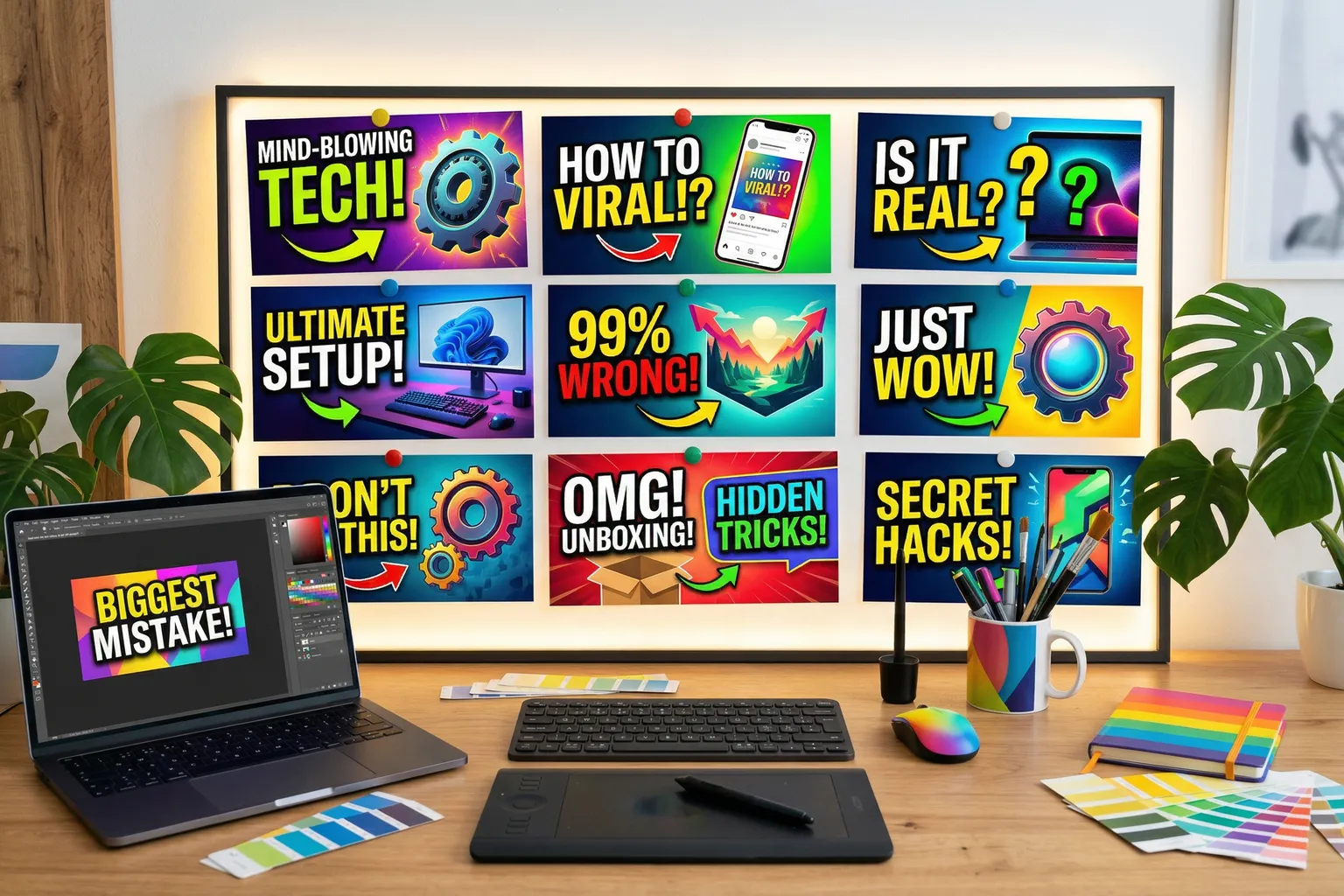
- Ideogram is the best AI for YouTube thumbnails in 2026 — its text rendering is in a different league from everything else, and readable thumbnail text is what drives clicks
- Midjourney produces the best pure imagery but can't reliably render text, which is a real problem for thumbnail workflows
- Canva AI is the most practical choice for creators who already live in Canva — the workflow integration beats the quality tradeoff
- Adobe Firefly is the commercial-safe option for branded channels with IP concerns
- Leonardo AI deserves a spot on your radar for style-consistent thumbnail series — its style lock feature is genuinely useful
YouTube gives you one shot before a viewer keeps scrolling. One thumbnail. Half a second, maybe less.
That’s the whole game. And if you’re doing 2-5 videos a week, spending two hours per thumbnail on graphic design isn’t a content strategy — it’s a second job you didn’t sign up for.
I spent several weeks running the same thumbnail briefs through every major AI image tool to find out which ones are actually useful for a working YouTuber. Not just which ones look impressive in demos. Which ones get you a usable thumbnail, with readable text, in a reasonable amount of time, without needing a design degree.
Here’s what I found.
Quick pick: Best overall: Ideogram | Best for pure imagery: Midjourney | Best workflow integration: Canva AI | Best for consistency across episodes: Leonardo AI
Quick Comparison
| Tool | Text Rendering | Image Quality | Workflow Speed | Free Tier | Best For |
|---|---|---|---|---|---|
| Ideogram | Excellent | Good | Fast | Yes | Complete thumbnails |
| Midjourney | Poor | Excellent | Medium | No | Background imagery |
| Canva AI | Good (in-app text) | Decent | Fastest | Yes | Canva users |
| Adobe Firefly | Good | Good | Medium | Trial | Commercial channels |
| Leonardo AI | Decent | Very good | Medium | Yes | Series consistency |
| DALL-E 3 | Decent | Good | Fast | Limited | ChatGPT users |
1. Ideogram — Best Overall for YouTube Thumbnails
Price: Free / $8/month (Basic) / $20/month (Plus) | ideogram.ai Best for: Any creator who needs text in their thumbnails — which is most of you
OK, I’ll just say it: Ideogram is the only AI image tool that actually solves the YouTube thumbnail problem.
Here’s what most tools miss. YouTube thumbnails aren’t just images. They’re images with text. Big, bold, readable text that communicates the video’s value in under a second. “I Lost $50,000 Doing This.” “The Fix That Took Me 3 Years.” “Don’t Buy This Until You Watch This.” That text is doing most of the click-driving work — and generating it accurately inside an AI image has historically been a disaster.
Ideogram gets it right. I ran the same text-heavy thumbnail prompts through six tools. Ideogram was the only one that consistently produced spelled-correctly, legibly placed, stylistically appropriate text integrated into the image. Not “kind of readable if you squint.” Actually readable. With style matching the rest of the image.
That’s the thing that makes it the winner for thumbnails specifically. Not overall image quality (Midjourney still wins that). Not cheapest (there are free options). It’s that thumbnails need text, and Ideogram is the only tool that can generate it reliably in one shot.
The image quality beyond text is competitive with DALL-E 3 — solid, not stunning, but more than good enough for most thumbnail use cases. The free tier is genuinely usable for creators at lower volume. At $8/month for Basic, the value math works out fine if thumbnails are a regular workflow need.
Our full Ideogram review covers the hands-on breakdown in detail.
Pros:
- Best text rendering in the category — by a lot
- Free tier that’s actually usable
- Fast generation, minimal prompting required
- Good enough overall image quality for thumbnail backgrounds
- Affordable at every tier
Cons:
- Not the quality leader for pure imagery
- UI is still maturing compared to older tools
- Smaller community, fewer tutorials
Our take: If you’re making thumbnails that need text — and most thumbnails do — this is your tool. Nothing else comes close for that specific use case.
2. Midjourney — Best for Background Imagery
Price: $10/month (Basic) / $30/month (Standard) | midjourney.com Best for: Channels where the image quality is the hook, combined with text added separately
Midjourney still makes the best images. That’s not close.
If you need a cinematic shot, a surreal visual, a hyperrealistic scene, or anything where the image itself is what creates the click — Midjourney is the tool. The gap between Midjourney outputs and everything else is visible immediately. More coherent. Better lit. More intentional. You can see the attention in each frame.
The problem for YouTube thumbnails specifically: text.
Ask Midjourney to render “NEVER DO THIS” in bold yellow letters and you’ll get something that looks vaguely letter-shaped if you’ve had enough coffee and you’re being generous. The text rendering is unreliable enough that most creators use a two-step workflow — generate the background image in Midjourney, then add text in Canva or Photoshop. That works. But it’s two tools and more time.
For channels where the visual is the draw — cinematic travel content, visual cooking channels, landscape photography, high-concept thumbnails — Midjourney’s image quality justifies that extra step. For channels where text is doing most of the work, Ideogram is faster and more appropriate.
The style reference feature in v6 is worth noting for series work. Upload a reference image and subsequent generations match the aesthetic consistently. If you’ve established a visual style for your channel, this helps maintain it across episodes without rebuilding prompts every time.
No free tier. $10/month minimum before you see anything. The Midjourney review is worth reading if you’re evaluating it — the prompting fundamentals take time to internalize and you want to know what you’re getting into.
Pros:
- Highest consistent image quality in the category
- Style reference feature supports visual consistency across episodes
- Wide aesthetic range — photorealistic to stylized
- Active community and strong documentation
Cons:
- Text rendering is unreliable — don’t count on it
- No free tier
- Two-step workflow required for most thumbnail needs
- Learning curve is steeper than conversational tools
Our take: The right tool if image quality is your primary draw and you don’t mind adding text separately. Not the right standalone thumbnail solution for most creators.
3. Canva AI — Best Workflow Integration
Price: Free / $15/month (Canva Pro) | canva.com Best for: Creators already using Canva for thumbnail design
If you’re already designing thumbnails in Canva, the AI tools built into Canva are probably good enough — and the workflow advantage outweighs the quality gap.
Generate an AI background image inside Canva, drop your text and graphic elements directly onto it, resize for your thumbnail dimensions, export. No app switching. No format converting. No pasting between tools. For a high-volume creator who’s optimizing for workflow speed above all else, that frictionless integration matters.
The Canva AI image quality is decent — stock-photo clean, not visually distinctive, but workable for most thumbnail use cases. The more interesting Canva tools for thumbnails are actually the non-generation ones: Magic Resize lets you adapt one thumbnail layout across multiple formats in seconds, and the template library means you’re not starting from zero.
The Canva AI review is worth a read if you’re deciding whether to upgrade to Pro.
One limitation: the free tier generates images in lower quality and includes Canva branding in some exports. Pro is where the workflow actually flows.
Pros:
- Zero-friction workflow for existing Canva users
- Generated images land directly in your design without extra steps
- Template library accelerates the design process
- Magic Resize handles format adaptation
Cons:
- Image quality trails Midjourney and Ideogram noticeably
- Limited creative control compared to dedicated generators
- Best features locked behind Pro ($15/month)
Our take: The most practical tool for Canva users. The workflow integration is the real value, not the image quality.
4. Adobe Firefly — Best for Commercial Channels
Price: From $9.99/mo (Firefly Standard) / included in Creative Cloud | firefly.adobe.com Best for: Branded channels, agencies, or creators who need IP documentation for commercial deliverables
Firefly makes this list for one reason that matters to a specific type of creator: Adobe provides IP indemnification for Firefly-generated content.
If you’re creating thumbnails for a brand channel, a sponsorship deliverable, or a client’s YouTube presence — and someone asks you about the provenance of your AI-generated images — Firefly is the only tool where you have a documented, defensible answer. Adobe indemnifies commercial outputs against copyright claims. Nobody else on this list does that in writing.
For personal channels or independent creators who aren’t worried about that exposure, Firefly isn’t the first choice. Image quality is clean but conservative — stock photo aesthetic, technically correct, not visually distinctive. It won’t win on creative impact.
But the Creative Cloud integration is genuinely useful if you’re already in that ecosystem. Generative Fill in Photoshop has become a real part of professional thumbnail workflows — select an area, fill with AI content, blend it in. If you’re already doing thumbnail work in Photoshop, that workflow addition is worth something.
The Adobe Firefly review covers the full feature set.
Pros:
- IP indemnification for commercial outputs — unique in the category
- Deep Photoshop and Illustrator integration
- Clean, professional image quality suitable for branded content
- Includes creative cloud integration for existing users
Cons:
- Conservative aesthetic — not the most visually interesting outputs
- Credit system gets restrictive on lower plans
- Overkill for most individual creators
Our take: The right choice for branded channels, agencies, or commercial work where IP documentation matters. Skip it for personal channels unless you’re already in Creative Cloud.
5. Leonardo AI — Best for Consistent Series Thumbnails
Price: Free (150 daily tokens) / $12/month (Apprentice) / $30/month (Artisan) | leonardo.ai Best for: Creators who produce episodic content and need visual consistency across a series
Leonardo AI doesn’t make the top of most “best image generators” roundups. But for one specific YouTube thumbnail problem — maintaining a consistent visual style across dozens of episodes — it does something the other tools don’t do as well.
The style lock feature lets you define a visual style from a reference image and apply it consistently to subsequent generations. For a channel with an established visual identity — specific color palette, lighting style, compositional approach — this means episode 47’s thumbnail looks like it belongs in the same series as episode 1, without rebuilding your prompt from scratch every time.
Image quality is competitive with DALL-E 3: solid, consistently good, not Midjourney-level. The free tier gives you 150 daily tokens, which is meaningful for evaluation. Text rendering is better than Midjourney but not Ideogram-level — workable for shorter overlay text but not where I’d rely on it for complex typography.
For series-driven content — tutorial channels, documentary-style content, branded series — the style consistency tools are the differentiator worth considering.
Pros:
- Style lock feature is genuinely useful for series consistency
- Generous free tier for evaluation
- Competitive image quality
- Multiple model options give you control over aesthetic direction
Cons:
- Text rendering is inconsistent
- Quality ceiling below Midjourney
- Interface is more complex than conversational tools
- Token economy takes time to understand
Our take: Worth evaluating specifically if series consistency is your primary challenge. Not the best standalone thumbnail tool for general use.
6. DALL-E 3 — For ChatGPT Users
Price: Free (limited) / $20/month (ChatGPT Plus) | openai.com/dall-e-3 Best for: Creators already using ChatGPT who want thumbnail generation without another subscription
DALL-E 3 is included in ChatGPT, which means if you’re already paying $20/month for Plus, you’re already paying for a capable image generator.
The workflow is genuinely good for people who don’t know what they want yet. Describe a concept in plain English, let ChatGPT help refine the idea through conversation, generate an image, iterate in the same thread. No prompt syntax. No parameter flags. Just talking through the thumbnail concept until you have something usable.
Quality is solidly mid-tier — better than expected for a chat interface feature, with decent text rendering that puts it above Midjourney on that specific axis. Not Ideogram-level, but functional. Composition holds up, photorealistic outputs are clean.
For dedicated thumbnail workflows, you’ll want a more purpose-built tool. But for casual creators who are generating thumbnails occasionally and already live in ChatGPT, there’s no reason to add another subscription.
Pros:
- Included with ChatGPT Plus — no extra cost
- Conversational iteration workflow removes prompt friction
- Functional text rendering compared to Midjourney
- Free tier exists (daily limits)
Cons:
- Quality ceiling below dedicated tools
- Daily generation limits constrain production workflows
- Limited stylistic control versus purpose-built generators
YouTube Thumbnail Workflow: What Actually Matters
Running these tools against real thumbnail needs taught me something. The evaluation criteria for “best AI image generator” and “best AI for YouTube thumbnails” aren’t the same list.
Text is the deciding factor. Most YouTube thumbnails lead with text. “Why I Quit My Job.” “The $5 Meal That Changed Everything.” “You’re Doing This Wrong.” If an AI tool can’t render that text accurately, it can’t generate a complete thumbnail in one step — which means more manual work, which means less time savings, which defeats most of the purpose.
Consistency matters more than peak quality. A thumbnail series needs to look cohesive. Your audience develops pattern recognition. One stunning outlier thumbnail matters less than twenty thumbnails that all feel like they belong to the same channel.
Speed is a real constraint. A creator doing 3 videos a week doesn’t have time for a 45-minute thumbnail iteration cycle per video. The tools that work in fewer steps — Ideogram, Canva AI — have a practical advantage over tools that produce better outputs after more iteration.
Channel art and banner images are a different problem. For channel art (the wide banner at the top of your channel page), pure image quality matters more than text rendering — these are usually illustrative or atmospheric images with minimal text. Midjourney is the right tool for channel art. Thumbnail workflows are where Ideogram wins.
If you’re building out your full content toolkit, the best AI image generators roundup covers the broader category, and the best AI video generators roundup handles the video side of the stack.
Frequently Asked Questions
What is the best AI tool for YouTube thumbnails in 2026?
Ideogram. The text rendering is what makes the difference — most YouTube thumbnails need readable, styled text integrated into the image, and Ideogram is the only tool that does that reliably. Canva AI is the best alternative if you already work in Canva and don’t want to add another tool.
Can AI generate YouTube thumbnails with text?
Yes, but there’s a wide gap in quality. Ideogram renders text accurately and legibly in almost every attempt. Most other tools — including Midjourney and Adobe Firefly — produce garbled or misspelled text that requires manual correction. DALL-E 3 and Leonardo AI are in the middle: better than Midjourney on text, not as reliable as Ideogram. If readable text in your thumbnail matters (it does), Ideogram is the practical choice.
Is Midjourney good for YouTube thumbnails?
For the background image, it’s still the quality leader. For thumbnails with text — which is most thumbnails — you’d generate the image in Midjourney then add text separately in Canva or Photoshop. That two-step workflow works fine if you’re willing to use two tools. If you want to generate a complete thumbnail in one step, Ideogram is more efficient.
How much does AI thumbnail generation cost?
Ideogram has a free tier that works for creators at low volume — enough to evaluate it properly before paying anything. Canva AI is included in Canva Pro at $144/year. Midjourney starts at $10/month. Leonardo AI’s free tier gives you 150 daily generation tokens. Adobe Firefly starts at $9.99/mo for 2,000 credits. You don’t have to spend anything to figure out which tool fits your workflow.
Do I need design experience to use AI for YouTube thumbnails?
No. Ideogram and Canva AI are both accessible with zero design background — describe what you want, generate it, adjust if needed. The learning curve on these tools is minimal compared to Photoshop or Illustrator. Midjourney has a real prompting learning curve that takes a few sessions to get comfortable with, but even there the community resources make it navigable.
Bottom Line
Ideogram wins for YouTube thumbnails.
Not because it makes the best images overall — Midjourney still does that. But because thumbnails need text, and Ideogram is the only tool that renders text accurately and stylistically enough to produce a complete, usable thumbnail in one step. For a creator doing 2-5 videos per week, that workflow efficiency is the whole point.
Already using Canva? Canva AI is good enough and the workflow integration is hard to argue with. Want the absolute best background imagery and don’t mind adding text separately? Midjourney. Building out a branded series with strict visual consistency? Leonardo AI’s style lock feature is worth the evaluation.
Pick one, stick with it long enough to build a prompt library for your channel’s style, and stop spending two hours per thumbnail.
Try Ideogram free | Try Midjourney | Try Leonardo AI | Try Canva AI
Related reading:
- Ideogram Review 2026: The Best AI for Text-in-Images
- Midjourney Review 2026
- Canva AI Review 2026
- Adobe Firefly Review 2026
- Leonardo AI Review 2026
- Best AI Image Generators 2026