
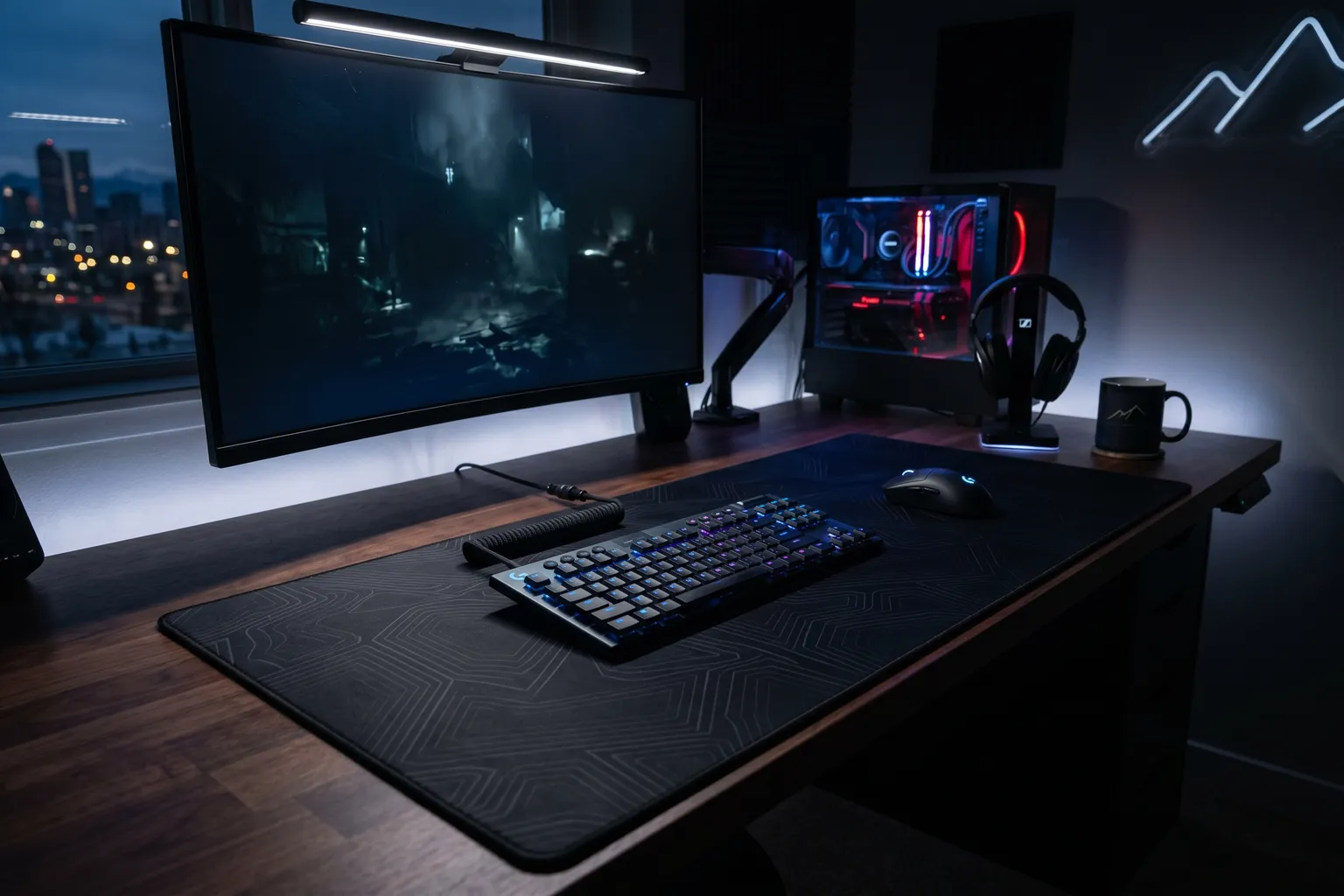
- Size matters more than surface texture for most gamers — a larger pad gives you room to play with lower DPI and more precise, wrist-friendly movements.
- The SteelSeries QcK is the standard reference mousepad for a reason — consistent, affordable, and used by pro players across every game.
- Hard/hybrid pads like the Razer Strider Chroma offer more consistent glide speed but are less comfortable for extended typing.
- RGB mousepads look impressive but add cost, thickness, and a cable you have to manage. Worth it only if aesthetics are a real priority for your setup.
- Desk mats (XXL pads) are worth it if you're on a wooden or glass desk — they protect the surface and give you a consistent glide area that covers keyboard and mouse.
A gaming mousepad is the least flashy purchase in a gaming setup and often the most impactful. You’re literally moving your mouse on this thing every time you play. Get a surface that’s too small, too slippery, or inconsistent and you’ll feel it every session.
Here’s what actually matters.
Quick-Pick Table
| Mousepad | Size | Type | Price | Best For |
|---|---|---|---|---|
| SteelSeries QcK Medium | 320×270mm | Soft cloth | ~$15–20 | Standard all-round |
| SteelSeries QcK XXL | 900×400mm | Soft cloth | ~$30–40 | Desk mat, wide setup |
| Logitech G840 XL | 900×400mm | Soft cloth | ~$40–60 | Quality large cloth |
| Razer Strider Chroma | ~950×410mm | Hybrid | ~$80–100 | RGB + hybrid surface |
| Razer Goliathus Speed | 900×300mm | Soft cloth (speed) | ~$30–40 | Fast glide |
| Corsair MM700 | 930×400mm | Soft cloth + RGB | ~$60–80 | RGB desk mat |
| Artisan Zero MID | Various | Soft cloth | ~$40–60 | Premium cloth feel |
1. SteelSeries QcK — The Standard Reference
Medium: Buy on Amazon → | ~$15–20
XXL: Buy on Amazon → | ~$30–40
The SteelSeries QcK isn’t the most exciting recommendation, but it’s the honest one. This pad has been the benchmark for soft cloth gaming mousepads for years. Pro players across CS2, Valorant, Apex, and virtually every competitive FPS use QcK variants. That’s not coincidence — it’s the best consistent soft cloth surface at an honest price.
The QcK Medium (320×270mm) is the right size for high-DPI gaming where mouse movement is mostly wrist-based. The QcK Large (450×400mm) is the better choice for most gamers. The QcK XXL (900×400mm) is the desk mat version — covers your full keyboard and mouse area with the same surface.
The QcK Heavy is the thicker version — 6mm vs. 2mm standard. The extra thickness adds cushioning and a more stable feel. Many pros prefer the Heavy specifically.
What the QcK is not: it’s not premium-feeling, it’s not RGB, it doesn’t have stitched edges in the standard version. The QcK+ and Heavy versions have stitched edges. If edge durability is important, pay the slight premium for those.
At $15–40 depending on size, the QcK is the starting point everything else is compared against.
Specs: Micro-woven cloth surface | Non-slip rubber base | Optimized for optical sensors | Available: Small, Medium, Large, Heavy (Large), XXL | Stitched edges on Plus/Heavy
Best for: Anyone who wants a reliable soft cloth pad without overpaying. Most gamers start here and stay.
2. Logitech G840 XL — Best Quality Large Cloth Pad
Buy on Amazon → | ~$40–60
The G840 XL is Logitech’s answer to the SteelSeries QcK XXL — a 900×400mm desk mat with a performance-tuned surface and 3mm thickness.
The surface texture is slightly smoother than the QcK, which some people prefer for a slightly faster glide feel without going full hard pad. Logitech describes it as “moderate surface friction” — it’s between speed pad and control pad territory.
The stable rubber base is well-implemented. The G840 doesn’t shift or bunch up during heavy use. The 3mm thickness is thinner than most desk mats, which means it doesn’t create a significant height difference between the pad and your desk surface.
The G840 comes in the standard black version and has had limited edition variants (Shroud edition, League of Legends edition). The standard black is the value buy.
One thing the G840 has over the QcK XXL: better quality control consistency in the surface texture. The QcK’s production quality has been variable at times; the G840 is more consistent.
Specs: 900×400mm | 3mm thick | Performance-tuned moderate friction surface | Rubber base | Tube transport case included
Best for: Large desk mat for quality-focused buyers who want a step up from QcK.
3. Razer Strider Chroma — Best Hybrid RGB Pad
Buy on Amazon → | ~$80–100
The Razer Strider Chroma is the hybrid mousepad with RGB — and the hybrid surface is the interesting part, not just the RGB.
A hybrid pad combines a hard gliding surface on top with a soft, flexible base underneath. The result: fast, consistent glide speed (more like a hard pad) with a flexible, rollable pad that feels better under the wrist than rigid hard pads. It’s a real design difference, not just marketing.
The Chroma RGB has 19 lighting zones around the perimeter. Syncs with Razer Synapse for unified lighting across Razer peripherals. Looks impressive. Adds a USB-C cable to your desk management situation.
The water-resistant coating is a genuine feature — spilled drinks on the surface wipe off instead of soaking in.
At $80–100, you’re paying a premium for the RGB and hybrid surface. If you don’t specifically want hybrid surface feel or RGB, the QcK XXL at $30–40 is the better value. If those features matter, the Strider Chroma is the best implementation.
Specs: XXL (950×410mm) | Hybrid soft/hard surface | Warp and water-resistant | Razer Chroma RGB 19 zones | USB-C cable | Anti-slip base | Rollable
Best for: Setups where RGB desk aesthetics matter, gamers who specifically prefer hybrid glide over pure cloth, Razer ecosystem users.
4. Razer Goliathus Speed — Best Speed Surface Cloth Pad
Available on Amazon | ~$25–40
The Goliathus Speed is Razer’s speed-optimized cloth pad. The surface is smoother and more tightly woven than the Control version — lower friction, faster glide. The tracking consistency is very good.
If you prefer faster mouse movement and play at higher DPIs, the Speed surface might feel more natural than the standard QcK. If you play at lower DPIs and want more control, the Control version (also in the Goliathus line) or the QcK is better.
Available in Medium (270×215mm) and Extended (920×294mm). The Extended size is the desk mat variant.
5. Corsair MM700 — Best RGB Desk Mat
Available on Amazon | ~$60–80
The MM700 is Corsair’s premium RGB desk mat — 930×400mm with Corsair iCUE-synced RGB lighting around the edge. The cloth surface is micro-textured and performs well for both speed and control.
If you’re deeply in the Corsair ecosystem (keyboard, mouse, headset all iCUE-enabled), the MM700 integrates into one unified lighting profile. That’s its selling point — the RGB ecosystem coherence is real and impressive if you’re invested in Corsair.
The surface itself is solid — comparable to the G840 in terms of quality. The price premium is RGB and ecosystem.
6. Artisan Zero MID — Premium Cloth Feel
Available from artisan-jp.com and Amazon | ~$40–60
Artisan is a Japanese mousepad manufacturer that makes premium cloth surfaces. The Zero MID is their balanced option — not the fastest, not the most controlled, but exceptionally consistent feel across the surface.
The Artisan pads have a reputation in competitive gaming circles for superior cloth quality. The surface texture is denser and more uniform than mass-market pads. If you’ve tried QcK variants and want to experience a step up in surface quality, Artisan is worth the price.
Available in multiple “surface types” (Soft, Mid, Hard) and sizes. MID is the middle friction option.
Mousepad Buying Guide
Size: The Most Important Decision
Don’t underestimate this. If you’re playing FPS games at 400–800 DPI and need full arm sweeps to do a 360°, you need XL (900×400mm or similar). At 800+ DPI with wrist-based movements, a standard Large (450×400mm) works.
Rule of thumb: when in doubt, go bigger. An XL pad that’s too big is fine. A Standard pad that’s too small means constantly picking up your mouse and repositioning.
Surface Type
Soft cloth: Most common. More friction = more control. Comfortable under wrist. Requires occasional cleaning (lint, oils from your hand accumulate). The QcK and G840 are examples.
Speed cloth: Same material as control cloth but smoother weave. Less friction, faster glide. Good for high-DPI or players who prefer light, fast movements.
Hard: Plastic or aluminum surface. Fastest glide, most consistent. Not comfortable under bare wrist for extended sessions. Used by some CS2 pros. Not common.
Hybrid: Smooth hard-type surface on a soft flexible base. Fast glide + flexibility. The Razer Strider Chroma is the main example.
RGB: Is It Worth It?
The honest answer: only if aesthetics are genuinely important to you. RGB adds cost, a USB cable, and potential failure modes. It doesn’t change how the pad performs. If your setup is RGB-synced and you care about it looking cohesive, the Razer Strider Chroma or Corsair MM700 are solid choices. If you just want the best surface, save the money.
Cleaning
Soft cloth pads need cleaning every few months — hand oils and desk debris affect glide over time. Most cloth pads can be handwashed with mild soap in cold water. Air dry completely before use. Never machine wash or tumble dry.
Bottom Line
Best overall: SteelSeries QcK (any size) — the reference pad that the rest of the market is compared against.
Best desk mat: Logitech G840 XL — quality large cloth pad for a full desktop setup.
Best with RGB: Razer Strider Chroma — hybrid surface + Chroma integration done well.
Best premium cloth: Artisan Zero MID — for those who want to feel the difference in surface quality.
Don’t overthink this category. The QcK is right for most people. Buy the right size, keep it clean, and your sensor will have a consistent surface for accurate tracking.
For more on gaming peripherals, see our best gaming keyboards, best gaming speakers, and best gaming desk roundups.