
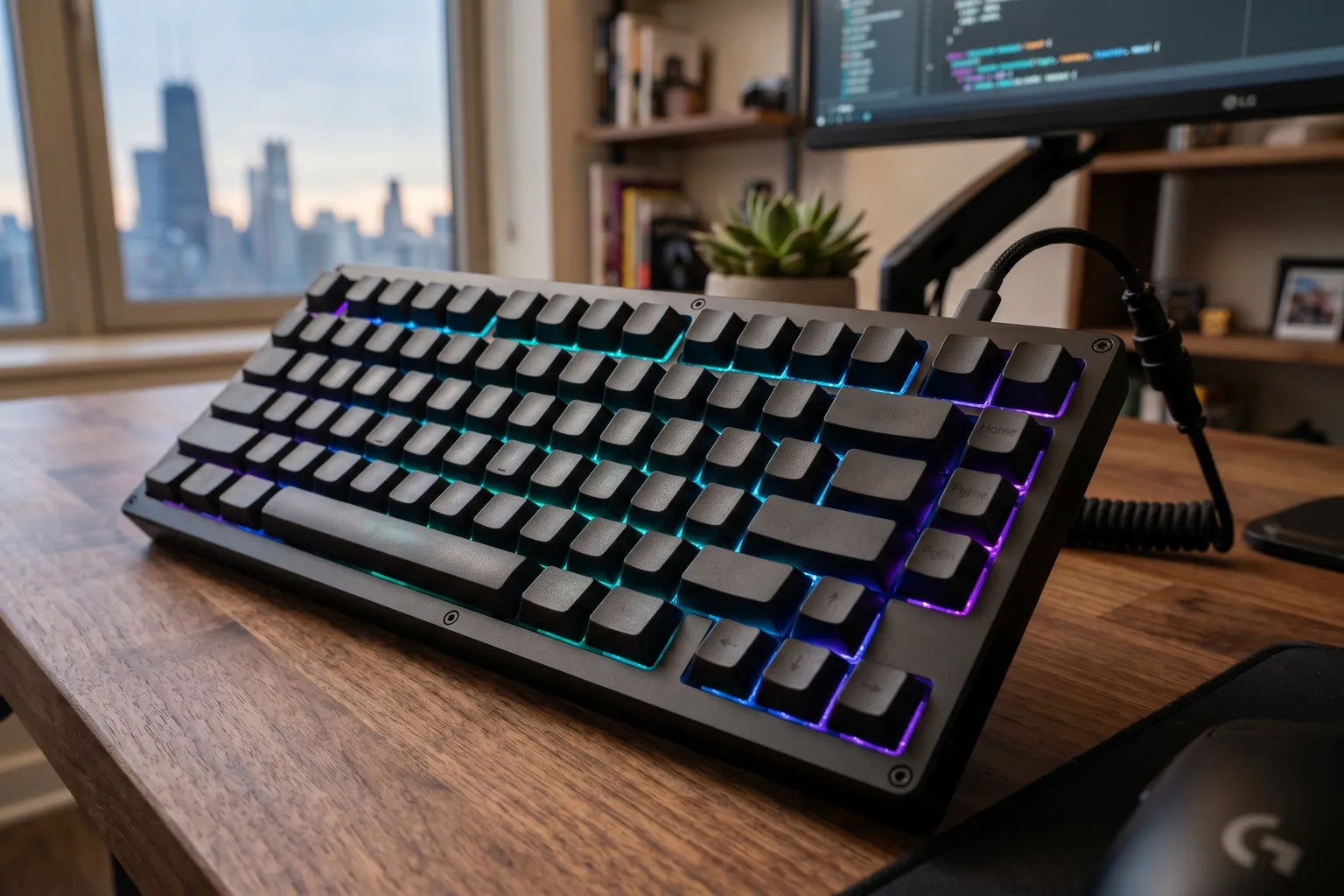
I’ve covered keyboards the same way I cover everything else: by trying to understand what actually differentiates them from a specification and use-case perspective, rather than vibes and aesthetics. There’s a lot of both in the mechanical keyboard community.
The good news: in 2026, the value-to-quality ratio at the sub-$200 tier has never been better. The Keychron Q series killed the idea that you needed to spend $400 on a custom group-buy keyboard to get gasket mount, hot-swap, and QMK programmability. Competition has pushed Logitech, Ducky, and others to improve their offerings at similar price points.
Here’s how the field looks.
Quick Comparison
| Keyboard | Layout | Switches | Hot-Swap | Wireless | Price |
|---|---|---|---|---|---|
| Keychron Q1 Pro | 75% | K Pro (R/B/Bn) | Yes | Bluetooth 5.1 | ~$180–200 |
| Logitech G Pro X TKL | TKL (80%) | GX (R/B/Bn) | Yes | 2.4GHz + BT | ~$150–170 |
| Ducky One 3 Classic | Full / TKL | Cherry MX | Yes | No | ~$120–150 |
| Ducky One 3 TKL | TKL (80%) | Cherry MX | Yes | No | ~$100–130 |
1. Keychron Q1 Pro — Best Mechanical Keyboard Overall
Buy on Amazon → (Red Switch) | Tactile (Banana) Switch → | ~$180–200
The Q1 Pro is the keyboard I’d recommend to someone asking “what should I get” without additional context. It does everything well without a specific glaring weakness.
What makes it the top pick:
Full aluminum case — this is not a plastic keyboard. It’s heavy (~2kg) and solid. The build quality feels expensive because it is. The double gasket mount gives the typing feel that premium keyboard enthusiasts spend a lot of money chasing: a slightly bouncy, cushioned bottom-out that reduces noise and fatigue on long typing sessions.
Wireless via Bluetooth 5.1 that actually works. The battery life is rated at ~4000mAh, which translates to weeks of normal use before charging. Pairs with up to 3 devices. Mode switching (wired/wireless/device 2/device 3) via Fn key combinations. The wireless connection on the Q1 Pro is stable and reliable — none of the dropout issues that plagued earlier wireless custom keyboards.
QMK/VIA compatibility means you can remap every key via software. Change the Caps Lock key to Escape (popular with Vim users). Add macros. Remap anything. This level of programmability used to require either technical knowledge or spending significantly more.
Hot-swappable switches. If you order Red switches and decide you want Browns after a month of use, swap them without soldering.
The 75% layout is the sweet spot for most users. Function row is included. Navigation cluster (arrows, PgUp/Dn) is condensed but present. The overall width is noticeably smaller than TKL or full-size. Most users who switch to 75% don’t go back.
My honest complaint: it’s heavy. If you travel with your keyboard, two kilograms is a commitment. For a desk keyboard, the weight adds stability.
Specs: 75% layout | Aluminum case | Double gasket mount | Bluetooth 5.1 + USB-C | Hot-swappable | QMK/VIA | South-facing RGB | ~$180–200
Pros: Best-in-class build for the price, wireless that actually works, full QMK programmability, hot-swap
Cons: Heavy (~2kg), no dedicated nav cluster, Bluetooth only (not 2.4GHz proprietary)
2. Logitech G Pro X TKL Lightspeed — Best Gaming Keyboard
Buy on Amazon → (Red/Linear) | Tactile → | ~$150–170
For competitive gaming, the G Pro X TKL Lightspeed is the cleaner choice than the Keychron Q1 Pro. The reasons are specific.
LIGHTSPEED wireless is Logitech’s proprietary 2.4GHz wireless protocol. Unlike Bluetooth, LIGHTSPEED is designed specifically for gaming input — the reported latency is ~1ms, effectively zero. In practice, there is no perceptible input lag difference between the LIGHTSPEED wireless G Pro X TKL and a wired keyboard. The “wireless keyboards have input lag” concern is outdated, but specifically for competitive gaming where any latency is scrutinized: LIGHTSPEED addresses it definitively.
The GX Linear (Red) switch that ships with the linear version is a solid choice for gaming: smooth linear actuation at 45g operating force, 2mm pre-travel, 4mm total. Fast and forgiving for rapid keypresses. The GX Clicky (Blue) is available if you want auditory feedback.
The TKL layout removes the numpad but keeps the navigation cluster (Home, End, PgUp, PgDn, arrow keys). For gaming, the full-size layout wastes mouse space. TKL is the standard for competitive gamers who want some navigation keys.
Hot-swappable switches — same as the Q1 Pro. You can swap the pre-installed GX switches for any 5-pin MX-compatible switches.
The case is plastic rather than aluminum. This keeps the weight down (significantly lighter than the Q1 Pro) and the price lower, but the build feel isn’t as premium. For a gaming keyboard that sits in a fixed position and gets subjected to fast keypresses rather than contemplative typing, the plastic construction is adequate.
The LIGHTSYNC RGB is excellent — per-key, configurable via Logitech G Hub software.
Specs: TKL (80%) layout | Plastic case | GX Red or Blue switches | Hot-swappable | LIGHTSPEED 2.4GHz + Bluetooth | LIGHTSYNC RGB | ~$150–170
Pros: LIGHTSPEED wireless with near-zero latency, hot-swap, solid linear switch, excellent for competitive gaming
Cons: Plastic build (less premium than Q1 Pro), heavier Logitech software required for full configuration, no per-key QMK-level remapping
3. Ducky One 3 Classic — Best for Pure Typing
Buy on Amazon → (Brown) | TKL Red → | ~$100–150
Ducky has been making keyboards since before “mechanical keyboard” was a mainstream hobby. The One 3 is the current flagship of their classic typing line, and it’s excellent for the use case it’s designed for: sustained daily typing.
Cherry MX switches. The actual Cherry MX, not a Gateron clone. For purists — and there are a lot of them in the keyboard community — Cherry MX switches have a specific feel that years of muscle memory are calibrated to. The Brown switch (Cherry MX Brown) is the classic tactile switch: subtle tactile bump at 45g, 2mm actuation, no click. Quiet enough for office use. Satisfying enough for writers.
The build quality is good — not as impressive as the Keychron Q series’ aluminum construction, but solid and consistent with Ducky’s reputation for reliability.
Hot-swappable PCB on the One 3, which is a genuine upgrade from older Ducky models that required soldering.
The Ducky One 3 is available in full-size (100%) and TKL versions. The full-size is for users who need a numpad — accounting, data entry, and spreadsheet work. The TKL is more versatile for desk setups where space is a factor.
What the One 3 doesn’t have: wireless. And it’s not QMK-compatible in the same way the Keychron Q series is. If wireless or deep programmability matters to you, the Q1 Pro is the better choice. If you want a simple, no-software, plug-in-and-type keyboard with excellent Cherry MX switches: Ducky delivers.
Specs: Full-size or TKL layout | Polycarbonate or aluminum top case | Cherry MX switches | Hot-swappable | RGB | Wired only | ~$100–150
Pros: Genuine Cherry MX switches, hot-swap on One 3 models, excellent long-term reliability, straightforward plug-and-type setup
Cons: Wired only, no QMK/VIA support, more limited programmability than Keychron Q series
Switch Guide: Picking the Right Switch
If you’ve never bought a mechanical keyboard before, the switch type decision feels more overwhelming than it needs to be. Here’s a simplified guide.
Linear Switches (Red, Yellow, Black)
- Feel: Smooth, consistent from top to bottom. No bump.
- Sound: Quieter than clicky, “thock-y” with dampening
- Best for: Gaming (smooth, fast), users who prefer quiet switches
- Examples: Cherry MX Red, Gateron G Pro Red, Keychron K Pro Red, Logitech GX Red
Tactile Switches (Brown, Clear)
- Feel: Bump at the actuation point — feedback without noise
- Sound: Slightly louder than linear, but no click
- Best for: Typing, programming, balanced gaming/typing
- Examples: Cherry MX Brown, Gateron Brown, Keychron K Pro Brown, Holy Pandas (higher-end)
Clicky Switches (Blue, Green)
- Feel: Tactile bump + audible click at actuation
- Sound: Loud. Noticeably loud. Your coworkers will notice.
- Best for: Writers who want maximum feedback, home office setups
- Examples: Cherry MX Blue, Keychron K Pro Banana, Logitech GX Blue
My actual recommendation for undecided buyers: Get a hot-swap keyboard (Keychron Q1 Pro, G Pro X TKL, or Ducky One 3) with linear or tactile switches. A switch sampler pack costs $15–20 and lets you try 10–15 switch types before committing. Hot-swap means your decision isn’t permanent.
Layout Guide
Full-size (100%): Numpad included. Best for data entry, accounting, gaming genres that use numpad. Largest desk footprint.
TKL (80%): No numpad. Navigation cluster present. Standard for gaming. The most versatile layout for most users.
75%: Function row + compressed navigation. Best for portability and desk space. Steeper learning curve for the compressed nav keys.
65%: No function row. Navigation keys condensed. Very compact. Popular in custom keyboard community. Takes adjustment.
60%: No function row, no navigation keys. Most compact. Steep learning curve. For enthusiasts and users who primarily type.
The Budget Option
If $150–200 is more than you want to spend, look at the Keychron Q1 (wired version, not Pro). Same aluminum construction, same hot-swap, same QMK/VIA programmability — minus the wireless. Typically $50–60 less. For a desk keyboard that stays plugged in, the wired version is hard to beat on value.