
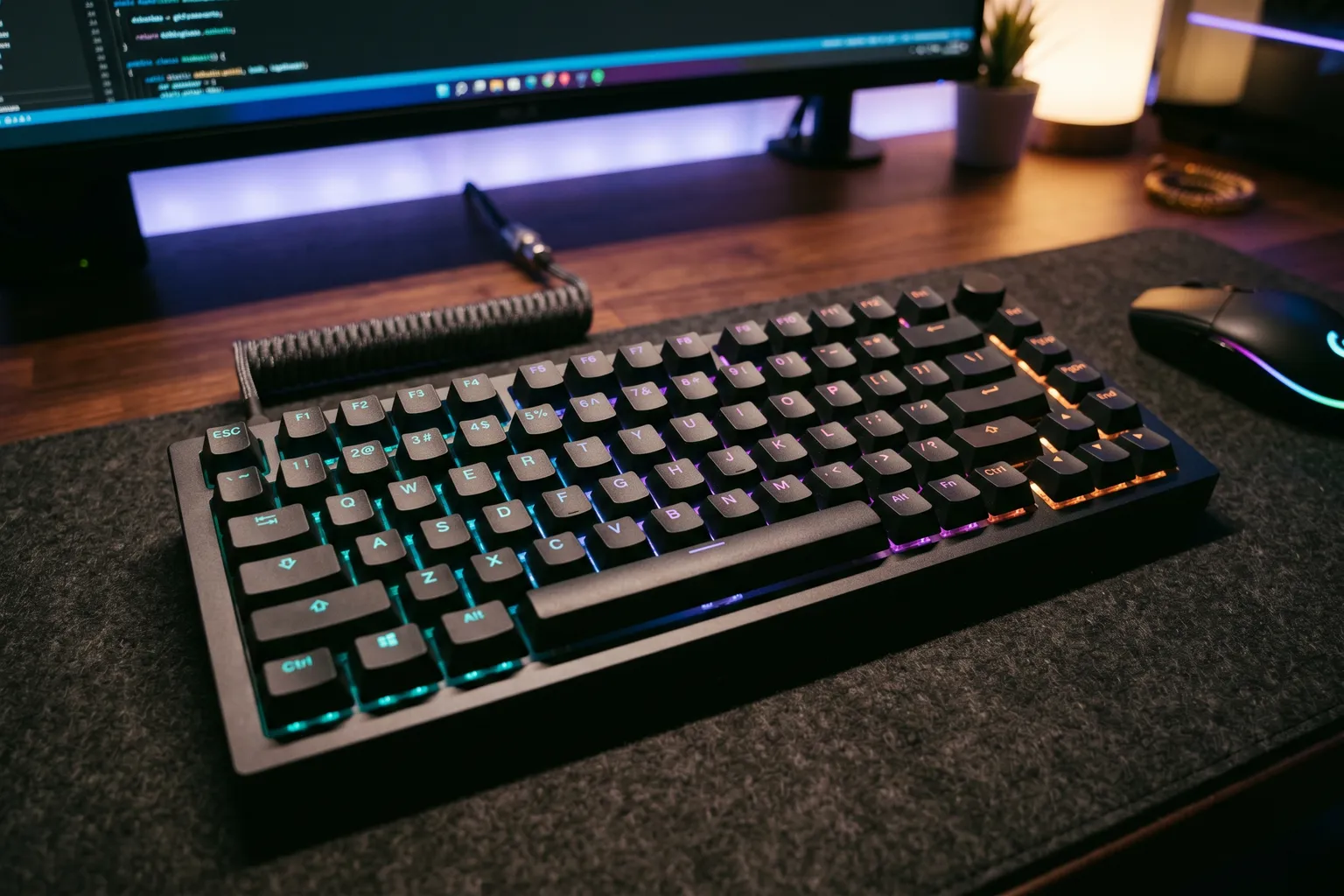
I’m going to be direct about this roundup’s scope: this is specifically keyboards under $100, not all mechanical keyboards. If you want the premium tier — gasket-mounted aluminum frames, $60-100 switches, artisan keycaps — that’s a different conversation. This is about the best you can get for real money.
The good news: the under-$100 mechanical keyboard market is genuinely strong in 2026. A few years ago, “budget mechanical keyboard” meant compromises that were hard to overlook. Now Keychron, Epomaker, and a handful of others have pulled quality up significantly at accessible prices.
1. Keychron K2 — Best Overall Under $100
The Keychron K2 is the keyboard I’d buy for almost anyone who asks for a mechanical keyboard recommendation without a gaming-specific requirement.
75% layout means you get the function row, dedicated arrow keys, and most navigation keys (PgUp, PgDn, Home, End) while losing the number pad and a bit of horizontal space. For most office and programming use, it’s the ideal layout — you keep what you actually use and lose what you rarely do.
Hot-swap switches. This is the key feature. The K2 Version 2 (the current version) ships with hot-swap sockets, so you can change switches without soldering. Order a couple hundred switches you want to try, pop out the stock ones, push in the new ones. No soldering iron required. For a first mechanical keyboard, this is invaluable.
Bluetooth 5.1 plus USB-C. The wireless is actually good — multi-device pairing up to three devices, switches between them with a keypress. Mac and Windows compatible with a hardware toggle on the side (not a software setting). The RGB backlight works in both wired and wireless modes, though wireless battery life drops when you have the lights on.
The frame is a mix of aluminum top plate and plastic bottom. Not pure aluminum — it flexes slightly more than premium boards — but meaningfully better than the all-plastic budget competitors.
Available in a huge range of switch options: Gateron Red/Brown/Blue, Keychron’s own optical switches, and more. Start with Gateron Red if you game and Gateron Brown if you type primarily.
Where it falls short. The keycaps that come stock are ABS plastic, which will develop shine over time. Upgrading to PBT keycaps is a common K2 mod and only costs $15-25. The typing angle isn’t adjustable on the base model (add-on legs are available).
2. Redragon K552 — Best Budget Gaming Keyboard
At $35, the Redragon K552 is the proof point that gaming performance doesn’t require $100 keyboards. TKL layout (no number pad), Redragon’s own Red mechanical switches (linear, similar feel to Cherry MX Red), and RGB backlighting.
The build is all plastic — which is the expected trade-off at this price — but it’s sturdier than the price suggests. The switches actuate cleanly and consistently. For fast-paced gaming where switch longevity and bottom-out feel matter more than acoustics, it performs.
No wireless. No hot-swap. No multi-device Bluetooth. This is a wired gaming keyboard and it does that job competently.
The K552 is what I’d recommend to:
- Budget gamers who don’t want to spend $80 on a keyboard
- Someone buying their first mechanical keyboard to try the format before investing more
- A secondary desk setup where you want mechanical but not at premium prices
Where it falls short. Budget switches. The Redragon Red switches aren’t bad, but they’re noticeably less smooth than Gateron Reds or Cherry MX Reds. Typing feel is fine; audiophile typists will notice the difference.
3. Ducky One 3 Mini — Best Typing Experience
The Ducky One 3 Mini is the keyboard in this roundup that feels the most premium. 60% layout, Cherry MX switches (no hot-swap on most versions), doubleshot PBT keycaps, and Ducky’s reputation for quality control that exceeds what the price suggests.
The typing feel is the headline. Ducky’s mounting, combined with genuine Cherry MX switches and thick doubleshot PBT keycaps, produces a satisfying, consistent typing experience. No flex, no hollowness, no switch wobble. It’s a well-built keyboard.
The 60% layout is a genuine compromise. No function row. No arrow keys (use Fn combos). No navigation keys. You’re trading all of that for the most compact possible footprint. If you’ve never used a 60% before, try one in a store or borrow a friend’s before committing. Some people love it; others find the Fn-layer combos too inconvenient for their workflows.
The One 3 series has several colorway options (Daybreak, Matcha, Fuji, Miya) that look better than any other keyboard in this price range.
Where it falls short. No wireless. No hot-swap on most SKUs (some variants are available with hot-swap, but usually at a premium). 60% isn’t for everyone. At $99.99, it hits the top of the budget range.
4. Epomaker TH80 V2 PRO — Best Wireless Under $80
Epomaker replaced the TH80 Pro with the TH80 V2 PRO, still the option for users who want wireless + 75% layout, now under $60. Triple connection modes carry over: 2.4GHz wireless dongle, Bluetooth, and USB-C wired. Hot-swap sockets carry over too, and the V2 PRO adds a small glass status screen and a metal control knob that the old TH80 Pro didn’t have.
For the price, the TH80 V2 PRO punches above it. The hot-swap sockets allow switch customization without soldering. The wireless is genuinely functional (not the afterthought that cheap wireless keyboards often feel like). Battery is rated at 10000mAh, well above the old TH80 Pro’s cell, with 200-plus hours of advertised wireless use.
The Gateron Pro switches it ships with are among the better stock switches in this price range — smoother factory lubing than base Gateron switches, noticeably cleaner actuation.
Where it falls short. Build quality is good but not Keychron-level — the case is all plastic, which introduces more flex than the K2’s aluminum top plate. Some users report minor inconsistencies in the wireless connection stability. Customer support is functional but slower than Keychron’s.
The Bottom Line
Most people: Keychron K2. Hot-swap, wireless, 75% layout, proven quality. Worth the $80-$95.
Budget-first / gaming: Redragon K552 at $35. Does what it says.
Typist who wants the best feel: Ducky One 3 Mini. Premium keys, Cherry MX switches, beautiful build.
Wireless on a budget: Epomaker TH80 V2 PRO. Triple-mode wireless, hot-swap, solid value.
Related Reading
- Best Portable SSD 2026 — round out your mobile desk setup
- Best Smart Home Starter Kits 2026 — desk automation to go with your new keyboard