
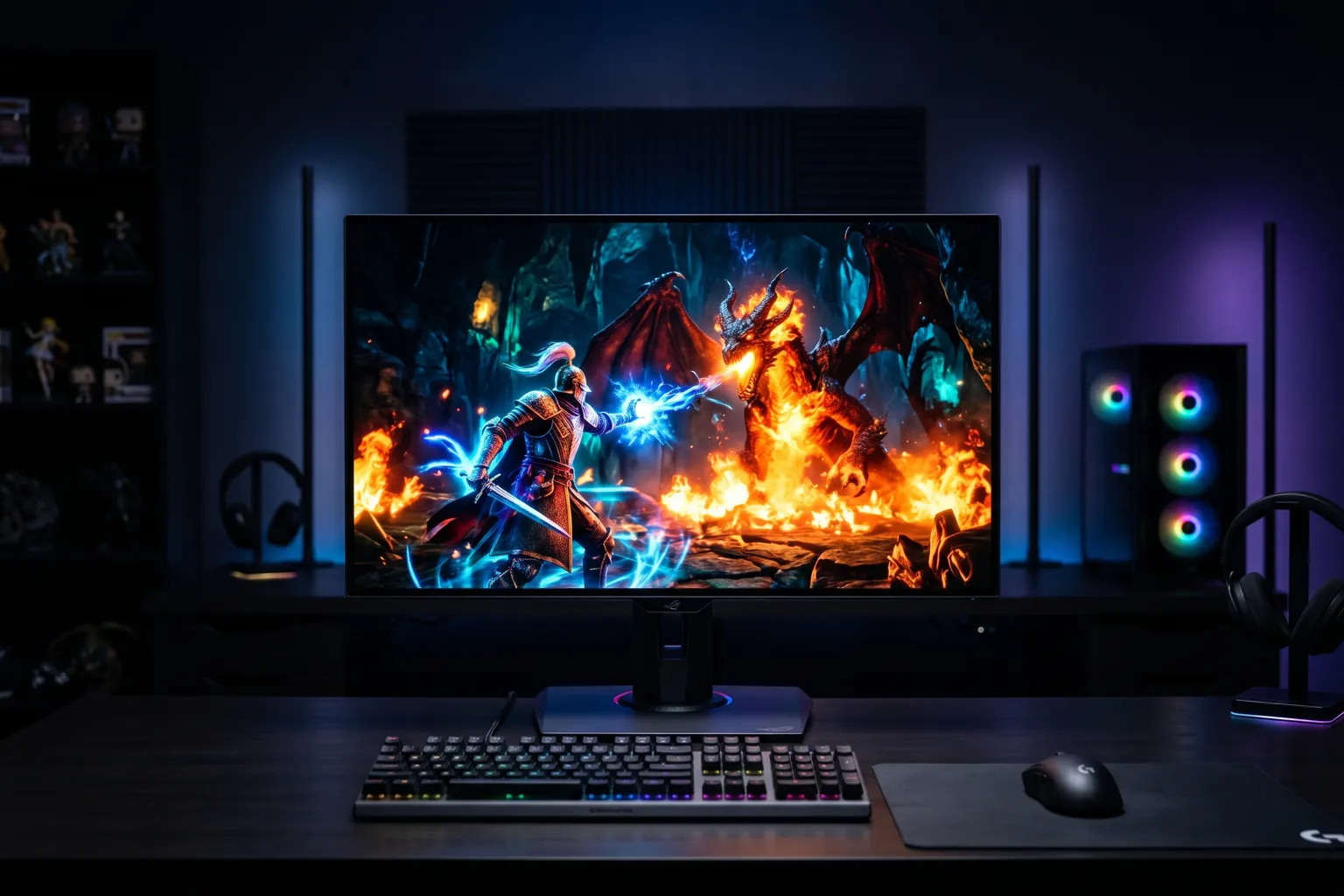
- OLED monitors offer genuine visual advantages over IPS: true blacks, infinite contrast, and 0.03ms response times that IPS panels cannot match.
- The LG 27GS95QE is the current value leader for OLED gaming — improved burn-in protection over the previous generation at a more competitive price.
- The Asus ROG Swift PG27AQDM remains a top pick for its micro-texture anti-glare coating, which handles real-world lighting conditions better than glossy OLEDs.
- OLED burn-in is a real concern for desktop monitors — avoid leaving static content (taskbars, HUD elements) at full brightness for extended periods. Modern OLEDs have mitigations but this requires some awareness.
- At 27 inches with 1440p, pixel density is excellent. 4K OLED at 27 inches requires a very fast GPU to run at high refresh rates — be honest about your hardware.
OLED gaming monitors have gone from niche luxury to legitimate mainstream consideration in 2026. The prices have dropped. The panels have improved. The burn-in situation is meaningfully better than 2022.
Here’s what’s worth buying and why.
Why OLED Over IPS (and When IPS Is Still Fine)
The real advantages:
True blacks and infinite contrast. IPS panels have a contrast ratio of ~1000:1. OLED has an essentially infinite contrast ratio because pixels that aren’t lit are completely off. Dark scenes in games look genuinely different — not “slightly better,” but different.
0.03ms response time. Not the 1ms–4ms of fast IPS, and definitely not the 5ms–8ms of cheap IPS. 0.03ms means motion blur in fast games (CS2, Valorant, fighting games) is effectively eliminated.
Pixel-level contrast. Each pixel lights independently, so high-contrast edges between bright and dark areas don’t have the “halo” effect (blooming) that even FALD IPS monitors have.
The real drawbacks:
Burn-in risk. Permanent static content at full brightness — taskbars, HUD elements, desktop icons — can leave traces over time. Gaming varies content enough to reduce this risk significantly, but desk use with a static taskbar is more problematic.
Peak brightness. OLED monitors have high peak brightness for HDR highlights, but sustained full-screen brightness is lower than high-end IPS. For bright, sun-lit rooms, an IPS might be more visible.
Price. OLED carries a meaningful premium over IPS at the same size and resolution.
When IPS is fine: if you’re primarily doing productivity work, running budget hardware that can’t push high framerates anyway, or your room is very bright, a good IPS monitor at half the price makes sense.
When OLED is worth it: if you’re a dedicated gamer who plays in a controlled lighting environment, cares about visual fidelity, and has the hardware to drive it.
Quick-Pick Table
| Monitor | Size | Resolution | Refresh | Price |
|---|---|---|---|---|
| LG 27GS95QE | 27" | 1440p | 240Hz | ~$500–700 |
| Asus ROG PG27AQDM-R | 27" | 1440p | 240Hz | ~$538 (arm bundle, only current listing) |
| LG 27GR95QE-B | 27" | 1440p | 240Hz | ~$550–700 |
| Asus ROG PG27UCDM | 27" | 4K | 240Hz | ~$900–1100 |
| Asus ROG PG27AQDP | 27" | 1440p | 480Hz | ~$700–900 |
1. LG 27GS95QE — Best Overall OLED Gaming Monitor
Buy on Amazon → | ~$500–700
The GS95QE is the current LG Ultragear OLED for 2024-2025 and represents the third generation of LG’s 27-inch QHD OLED gaming panels. The improvements over the first-generation GR95QE are real: better burn-in protection through Pixel Glow Management, improved cooling, and slightly higher sustained brightness.
The specs: 27-inch, 2560×1440, 240Hz, 0.03ms response time, AMD FreeSync Premium Pro and NVIDIA G-Sync Compatible. DisplayHDR True Black 400 (real OLED HDR, not the fake HDR on cheap IPS panels). HDMI 2.1 (up to 4K 144Hz, so this port is capable of passing 1440p 240Hz easily). DisplayPort 1.4 DSC.
The anti-glare coating on the GS95QE is a semi-matte finish — better at handling room reflections than the previous glossy-panel generation, though not as aggressive as the Asus micro-texture coating.
At $500–700, this is the value proposition for OLED gaming. You’re getting genuine third-generation OLED performance at the lowest price this technology has reached.
Specs: 27" | 2560×1440 | 240Hz | 0.03ms GTG | AMD FreeSync Premium Pro | G-Sync Compatible | HDMI 2.1 | DisplayPort 1.4 | DisplayHDR True Black 400 | Tilt/height/swivel/pivot
Pros: Genuine OLED advantages, improved burn-in protection, most competitive OLED price, full ergonomic stand
Cons: Semi-matte coating not as aggressive as Asus’s, burn-in still requires some awareness, requires capable GPU
Best for: The primary recommendation for most people entering OLED gaming monitors.
2. Asus ROG Swift PG27AQDM — Best for Bright Rooms
Asus discontinued the standalone PG27AQDM. The only current listing for this panel bundles it with a monitor arm as the PG27AQDM-R – see pick #4 below for that bundle, which is now the only way to buy this monitor. The differentiator that made the original worth choosing hasn’t changed: the micro-texture coating on the panel.
Most OLED monitors have either glossy or semi-matte panels. The Asus micro-texture coating is specifically engineered to diffuse reflections while minimizing the visual “sparkle” that aggressive matte coatings introduce. In a room with overhead lighting or a window behind you, this panel maintains better image clarity than competing OLEDs.
The panel underneath is a WOLED panel (LG-supplied) with the same fundamental specs: 240Hz, 0.03ms, true OLED contrast. The Asus-specific additions are: Aura Sync RGB on the back, ROG-specific overdrive settings, and a custom heatsink for improved thermal management of the panel.
For serious gamers in non-ideal lighting environments — a home office with natural light, a living room gaming setup — the anti-glare performance of this panel is worth the premium over the LG, even now that it only comes bundled with the arm.
Specs: 27" WOLED | 2560×1440 | 240Hz | 0.03ms GTG | Micro-texture anti-glare coating | G-Sync Compatible | FreeSync Premium Pro | Custom heatsink | Aura Sync RGB
Pros: Best real-world anti-glare of any OLED gaming monitor, custom heatsink improves thermal management, solid ergonomics
Cons: Premium price, RGB on stand is aesthetics not function, heavier than competitors
Best for: Gaming in rooms with ambient light, users who’ve found glossy or semi-matte OLED coatings too reflective.
3. LG 27GR95QE-B — Previous Gen Value Option
Buy on Amazon → | ~$450–600
The GR95QE-B is the first-generation LG Ultragear OLED — still an excellent monitor, now frequently discounted as the newer GS95QE has taken the spotlight.
The fundamental specs are identical to the GS95QE: 27-inch, 1440p, 240Hz, 0.03ms, WOLED panel. The differences are in the burn-in mitigation (older generation) and the slightly lower sustained brightness.
If you find the GR95QE-B at a significant discount over the GS95QE — $100+ cheaper — it’s still an excellent purchase. The OLED panel itself performs identically for gaming. The burn-in improvements in the newer model are meaningful for heavy desktop use but less important for dedicated gaming setups.
Best for: Budget-conscious OLED buyers who find the first-gen at a meaningful discount.
4. Asus ROG Swift PG27AQDM-R — With Monitor Arm Included
Buy on Amazon → | ~$538
The PG27AQDM-R is the same panel as the original PG27AQDM, now sold exclusively with a monitor arm included in the box and a 3-year warranty (vs. standard) – Asus stopped selling the panel on its own. If you were going to buy a monitor arm anyway (Ergotron LX runs ~$50–60), this is effectively the standalone price plus a solid arm and extended warranty bundled in.
For clean desk setups where you want to eliminate the stand entirely, this bundle is worth considering.
5. Asus ROG Swift PG27UCDM — Best 4K OLED Option
Buy on Amazon → | ~$900–1100
The PG27UCDM brings 4K resolution (3840×2160) to a 27-inch OLED panel at 240Hz. It’s the premium tier.
At 27 inches with 4K resolution, you get ~163 PPI — extremely sharp. Text rendering and fine details are genuinely better than 1440p at this size. But here’s the honest reality: running 4K at 240Hz in demanding games requires a GPU that most people don’t own. An RTX 4090 or 5000-series is the practical requirement for high-framerate 4K gaming.
Most users with this monitor run demanding games at 120Hz (where mid-high tier GPUs are adequate) and lighter games at higher framerates. That’s a valid use case, but be honest with yourself about your hardware before buying.
The OLED advantages apply fully: 0.03ms response, infinite contrast, exceptional color accuracy. The QD-OLED panel delivers wider color gamut than WOLED.
Best for: High-end builds with top-tier GPUs, or users who prioritize visual quality over maximum framerate.
6. Asus ROG Swift PG27AQDP — 480Hz OLED
Buy on Amazon → | ~$700–900
The PG27AQDP delivers 480Hz at 1440p on a WOLED panel — the highest refresh rate OLED gaming monitor at time of writing. For competitive gaming at the highest level, 480Hz provides the most current motion clarity available.
The honest question: can you actually see the difference between 240Hz and 480Hz? In controlled testing, yes — particularly in fast panning movements and during high-speed gameplay. In practice, the difference is smaller than 144Hz→240Hz was. Unless you’re playing CS2 competitively and can consistently push 400+ FPS, 480Hz is a premium most people won’t fully use.
But if you want the best, this is it.
Best for: Competitive FPS players who can consistently achieve 400+ FPS and for whom every millisecond advantage is worth the premium.
OLED Gaming Monitor Buying Guide
WOLED vs QD-OLED
Both are OLED technologies. WOLED (used by LG panels) uses white OLED subpixels with color filters — slightly lower peak brightness per color but excellent uniformity and reliability. QD-OLED (Samsung/Asus) uses quantum dots for color conversion — higher peak brightness for saturated colors, slightly different color reproduction. For gaming, both are excellent; QD-OLED has slightly better brightness for HDR highlights.
The Burn-In Reality
For dedicated gaming setups: low risk. Games vary scene content constantly, which is the best protection against burn-in.
For monitors used as primary displays for 8+ hours of desktop work daily: moderate risk. The Windows taskbar, browser tab bars, and persistent UI elements are the main concern.
Mitigation features in modern OLEDs include:
- Pixel shifting (moves image slightly to avoid static burn)
- Brightness limiting on static areas
- Panel self-refresh cycles
- ASBL (Automatic Static Brightness Limiter)
Enable all of these in your monitor’s OSD settings if you use it for general computing.
Resolution and GPU Requirements
| Resolution | Refresh Rate | GPU Needed for High FPS |
|---|---|---|
| 1440p | 240Hz | RTX 4070 / RX 7800 XT and up |
| 1440p | 480Hz | RTX 4080 and up for most games |
| 4K | 120Hz | RTX 4070 Ti and up |
| 4K | 240Hz | RTX 4090 / RX 7900 XTX |
Be realistic about your GPU before buying above your resolution class.
Bottom Line
Best value: LG 27GS95QE — the most competitive OLED gaming monitor price for a current-generation panel.
Best anti-glare: Asus ROG Swift PG27AQDM-R (arm bundle, the only current listing) — worth the premium if your room has ambient light.
Best 4K: Asus ROG Swift PG27UCDM — for high-end builds where resolution matters.
Best for competitive gaming: Asus ROG Swift PG27AQDP — 480Hz for players who can actually push those framerates.
For a budget alternative that doesn’t compromise too heavily, see our Best Budget Gaming Monitor 2026 roundup. And if you’re building out a full gaming station, check our Best Gaming Desk 2026 picks.