
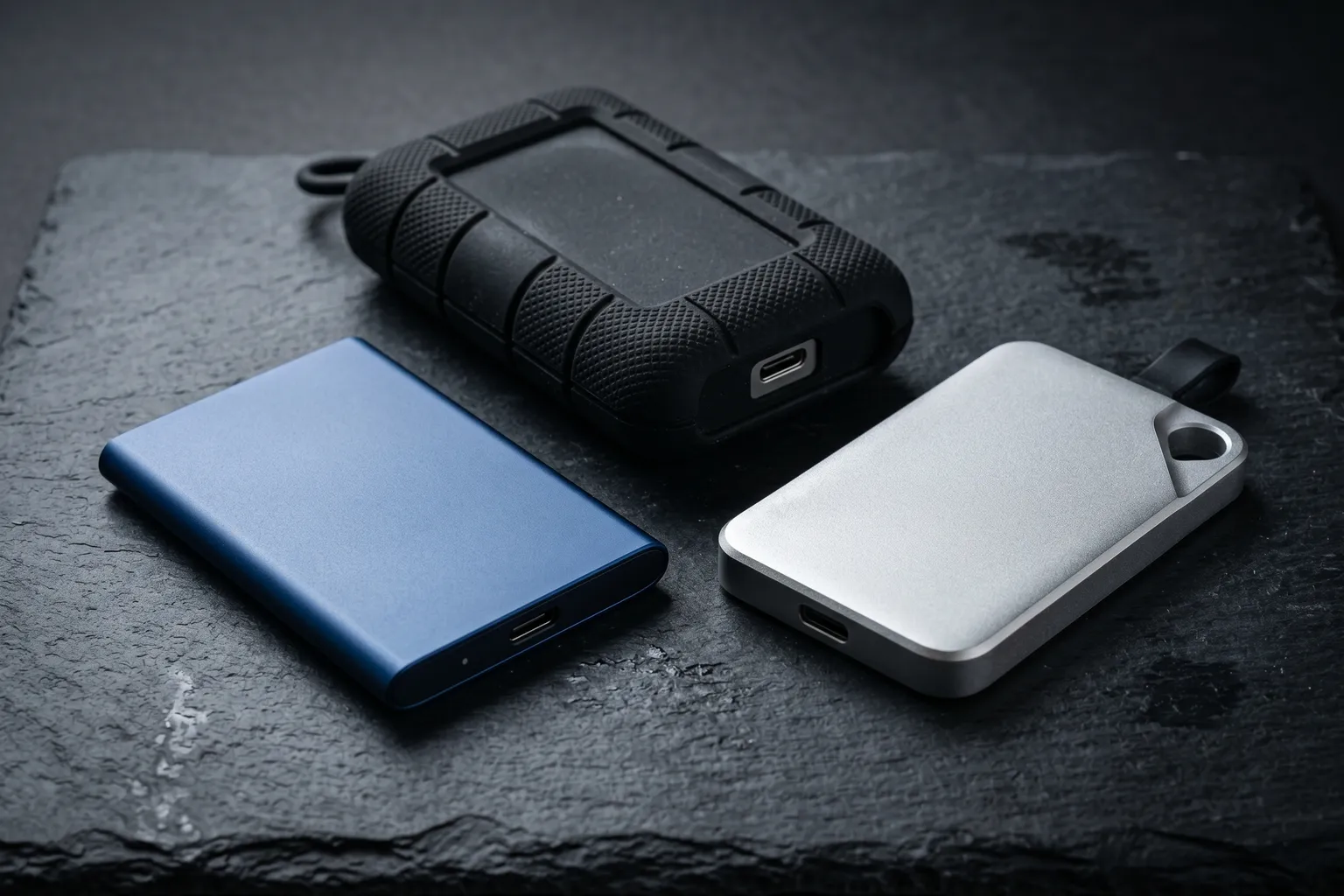
Quick note before we get into it: this roundup is about portable external SSDs for backup, file transfer, and working-on-the-go use cases. Not internal gaming SSDs (covered elsewhere) and not Thunderbolt docks or NVMe enclosures. Portable. USB-connected. The kind you throw in a bag.
All three of the drives here are genuinely good. The differences are smaller than the specs suggest. Let me explain them clearly.
1. Samsung T7 Shield — Best Overall
The T7 Shield is what you get when Samsung takes the excellent T7 and adds an IP65-rated rubberized shell and a larger operating temperature range. The result is the most compelling portable SSD for most people.
Speeds: up to 1,050MB/s read and 1,000MB/s write over USB 3.2 Gen 2. Real-world speeds on a modern MacBook or Windows laptop: 900-1000MB/s sequential read, 850-950MB/s write. That’s fast enough for working from the drive — editing Lightroom catalogs, streaming ProRes video for editing, running large file transfers. Not bottleneck-tier.
The IP65 rating. This is the differentiator versus the base T7. Rain, spills, and drops (rated for 3-meter drops) don’t phase the T7 Shield. If you’re a photographer shooting outdoors, a videographer on location, or simply someone who has nightmares about dropping things near water, this matters. The rubberized shell also provides a better grip than slick metal alternatives.
Comes with both USB-C-to-USB-C and USB-C-to-USB-A cables, so it works with any USB port without an adapter.
Available in 1TB, 2TB, and 4TB. The 1TB hits the sweet spot of capacity vs price for most users.
Where it falls short. No AES hardware encryption on the T7 Shield (the base T7 has it; Samsung inexplicably removed it from the Shield variant). Hardware encryption matters if you store sensitive files and want encrypted-at-rest protection without relying on software. If encryption is a priority, the base T7 or a software-encrypted approach is better.
2. WD My Passport SSD — Best Value Travel Drive
The WD My Passport SSD is the price-to-performance winner in this category. NVMe-based USB 3.2 Gen 2 drive delivering up to 1,050MB/s read and 1,000MB/s write. Slim, lightweight, and substantially less expensive than the Samsung T7 Shield at comparable capacities.
Available in several colors (Midnight Blue, Gray, and others). Aluminum casing feels premium. No IP rating, but the build quality is solid enough for everyday travel use.
Hardware AES-256 encryption is included. You can password-protect the drive using WD’s software (included). That’s a real advantage over the T7 Shield for users who care about data security.
If you’re choosing primarily on price and your use case doesn’t involve outdoor exposure or rough handling, the WD My Passport SSD saves you $15-25 depending on configuration.
Where it falls short. No water or dust resistance. It’s a laptop drive, not a field drive. The slim aluminum case provides zero protection against drops — a padded sleeve or case is a good add if you’re traveling with it.
3. SanDisk Extreme Pro — Best for Video Work
The SanDisk Extreme Pro targets professional video and photo workflows. USB 3.2 Gen 2x2 (note: 2x2, not just Gen 2) delivers up to 2,000MB/s read and 2,000MB/s write — nearly double the T7 Shield’s speeds.
That speed matters for specific workflows: editing 8K RAW video directly from the drive, working with uncompressed 4K ProRes files at high frame rates, moving large batches of large RAW photos. For anything less demanding, the speed difference between the Extreme Pro and the T7 Shield is invisible in everyday use.
IP55 water and dust resistance. Drop-proof (2 meters). Aluminum/rubber construction. Compact and durable.
The caveat: to hit 2,000MB/s, your laptop’s USB port must support USB 3.2 Gen 2x2 (40Gbps). Many laptops — including older MacBooks and budget Windows machines — max out at USB 3.2 Gen 2 (20Gbps). On those computers, the Extreme Pro will be fast (still hitting 900-1000MB/s), but not 2,000MB/s. Check your laptop’s USB spec before paying the premium.
Where it falls short. More expensive than the T7 Shield for a speed advantage that most users won’t see in practice. The 2x2 speed boost is real but only matters for specific professional workflows.
Which Portable SSD Should You Buy?
Everyday backup and travel use: Samsung T7 Shield — the IP65 rating is genuinely useful protection.
Price-conscious buyer who doesn’t need durability ratings: WD My Passport SSD — saves money, includes hardware encryption.
Video/photo professional with USB 3.2 Gen 2x2 laptop: SanDisk Extreme Pro — the 2,000MB/s speeds matter for large file workflows.
What About Capacity?
All three drives are available in multiple capacities. Here’s how to think about what you need:
1TB: Sweet spot for most users. A full laptop backup with Time Machine or Windows Backup, a large photo library (20,000+ photos in RAW), and room for ongoing projects. At $74-$110 depending on the drive, it’s not breaking the bank.
2TB: Right for photographers and video editors with expanding libraries. If you’re shooting RAW video or working on client projects where you can’t afford to delete old footage, 2TB buys breathing room.
4TB: For serious video work or users who want a single drive covering multiple years of projects. The price premium is real — expect to pay 2x or more over 1TB — but the convenience of not managing multiple drives has value.
Cables and Compatibility Notes
All three drives include USB-C to USB-C cables. The Samsung T7 Shield and WD My Passport SSD also include USB-C to USB-A adapters, which is useful if you need to connect to an older computer.
The SanDisk Extreme Pro ships with only a USB-C cable. If your laptop has only USB-A ports (older Windows machines), you’ll need to buy a cable separately.
For maximum speed, always use the included cable or a certified USB 3.2 Gen 2 cable. Cheap USB cables will bottleneck even a fast SSD to USB 2.0 speeds. The drive’s speed is limited by the slowest link in the chain: cable, port, or host interface.
Formatting Notes
These drives ship formatted for Windows (exFAT or NTFS). Mac users will want to reformat to exFAT (for cross-platform use) or APFS (for Mac-only use). APFS gives you better performance on macOS, encryption support, and Time Machine compatibility, but won’t be readable on Windows without additional software.
Most users: format to exFAT for cross-platform flexibility, and use your OS’s encryption features (BitLocker on Windows, FileVault on Mac) if you need data security.
Related Reading
- Best USB-C Hubs 2026 — if you need a hub to connect your portable SSD alongside other peripherals
- Best Mechanical Keyboards Under $100 2026 — more portable peripherals for a mobile desk setup