
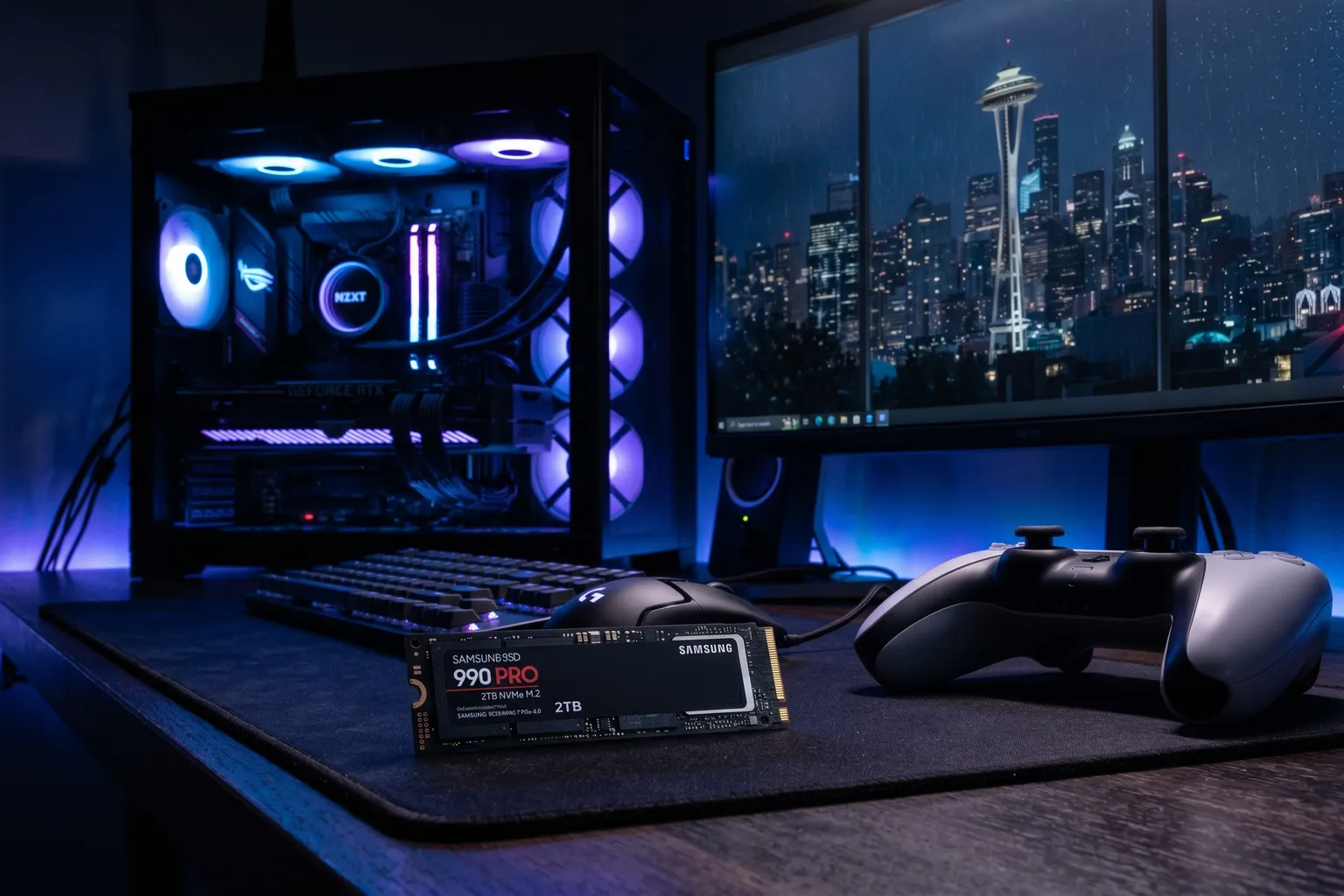
Storage speed has become a genuine gaming differentiator. Not in the “you need the fastest drive or games are unplayable” sense — but in the “PS5 exclusives were designed around fast SSD access, and your PC load times are either acceptable or they aren’t” sense.
The good news: the best gaming SSDs in 2026 aren’t expensive. The Samsung 990 Pro and WD Black SN850X — the two drives at the top of almost every serious recommendation list — have both dropped significantly in price. You can get 1TB of Gen4 NVMe speed for under $80. Two years ago that was twice as expensive.
The bad news: there’s a lot of garbage marketed as “gaming SSDs.” TLC NAND dressed up with RGB. Gen3 drives advertised for PS5 expansion. Heatsink editions that cost $30 more for what is literally a $2 piece of aluminum.
So let me cut through it.
Quick Comparison
| Drive | Capacity | Read | Write | Best For | Price (approx) |
|---|---|---|---|---|---|
| Samsung 990 Pro | 1TB / 2TB | 7,450 MB/s | 6,900 MB/s | Best overall | ~$75–$120 |
| WD Black SN850X w/ Heatsink | 1TB | 7,300 MB/s | 6,300 MB/s | PS5 expansion | ~$85–$100 |
| WD Black SN850X | 1TB | 7,300 MB/s | 6,300 MB/s | PC gaming | ~$70–$85 |
| Crucial P310 | 1TB | 7,100 MB/s | 6,000 MB/s | Budget PC | ~$168 |
Note on Xbox: Xbox Series X|S uses Seagate’s proprietary Storage Expansion Cards, not M.2 SSDs. If you’re looking to expand Xbox storage, you want the Seagate Storage Expansion Card or WD_BLACK C50 — not any drive on this list. I’ll mention the right Xbox option below.
1. Samsung 990 Pro — Best Gaming SSD Overall
Buy on Amazon → (1TB) | Buy 2TB → | ~$75–$120
The 990 Pro is what I’d put in a PS5 or high-end gaming PC without a second thought. 7,450 MB/s sequential read, 6,900 MB/s write, and the thermal management is actually good — Samsung’s controller doesn’t thermal throttle nearly as aggressively as some competitors under sustained load.
That last point is more important than it sounds. A drive that hits 7,450 MB/s for 10 seconds and then drops to 3,000 MB/s when it heats up is lying to you with its spec sheet. The 990 Pro maintains high performance during extended file transfers and sustained game level loading. If you’re loading into a large open-world game that streams assets continuously, sustained performance matters more than the peak number.
For PS5: the 990 Pro works perfectly in the expansion slot with or without a heatsink. Samsung’s thermal design is conservative enough that most users don’t see temperature problems even in extended gaming sessions. If you want to add a heatsink anyway, third-party options are cheap. Sony sells a heatsink-included version (check the PS5 Heatsink version ASIN: B0BHJGV9WR for ~$5–10 more).
The 2TB version is worth considering if you’re on PS5 — base game installs have been growing, and 1TB fills up faster than you’d think after a few major titles plus their updates.
Specs: PCIe 4.0 x4 | M.2 2280 | TLC NAND | 7,450/6,900 MB/s seq read/write | 1.4M/1.4M IOPS | 600 TBW (1TB) | 5-year warranty
Pros: Excellent sustained performance, great thermals, widely compatible with PS5 and PC, strong 5-year warranty
Cons: Costs slightly more than the SN850X at equivalent capacities, no included heatsink
2. WD Black SN850X with Heatsink — Best for PS5 Expansion
Buy on Amazon → | ~$85–$100
If I’m being precise: the SN850X with heatsink is the best PS5 expansion drive because it solves the PS5’s limited airflow around the M.2 slot in one purchase. No sourcing a separate heatsink, no wondering if the thermal pad is thin enough to fit Sony’s slot dimensions. It just… fits.
The SN850X is fast. 7,300 MB/s read and 6,300 MB/s write are only marginally behind the 990 Pro in benchmarks, and in actual gaming load times the two drives are within rounding error of each other. If someone tells you one is noticeably faster at loading games, they’re going by sequential read benchmarks, not real-world testing.
WD’s controller is also well-regarded for sustained performance. The SN850X uses TLC NAND with a generous SLC cache — large file transfers maintain high speeds for longer than some competing drives.
The heatsink-included version costs maybe $10–15 more than the bare drive. For PS5 use specifically, I think it’s worth it for the simplicity. For PC use, you might prefer the bare drive and let your motherboard’s M.2 heatsink handle it.
Specs: PCIe 4.0 x4 | M.2 2280 | TLC NAND | 7,300/6,300 MB/s seq read/write | 1M/1.1M IOPS | 600 TBW (1TB) | 5-year warranty
Pros: Heatsink included (great for PS5), excellent gaming performance, consistent sustained speeds
Cons: Slightly lower peak specs than 990 Pro, heatsink version adds thickness (verify PS5 slot clearance)
3. WD Black SN850X (No Heatsink) — Best for PC Gaming Builds
Buy on Amazon → | ~$70–$85
Same drive as above, minus the heatsink. If you’re installing this in a desktop gaming PC where your motherboard has its own M.2 heatsink (most mid-range and above boards do in 2026), save the money and get the bare drive. The motherboard heatsink does the job fine.
Why list this separately from the heatsink version? Because the price difference is meaningful if you’re building a PC, and the heatsink adds thickness that can occasionally cause fitment issues in tight mITX builds. Buy the version that matches your installation context.
Performance-wise: identical to the heatsink version. Same controller, same NAND, same benchmark numbers.
Best for: PC gaming builds where the motherboard has an M.2 heatsink already.
4. Crucial P310 — Best Budget Gaming SSD
Buy on Amazon → | ~$168
Crucial replaced the P3 Plus with the P310, and for PC gaming it’s still a legitimate budget choice, though NVMe pricing has climbed across the board this year. 7,100 MB/s read is a real jump from the old P3 Plus’s 5,000 MB/s, and it will load games faster than any SATA SSD.
The caveats carry over from the old model. The P310 still uses QLC NAND rather than TLC, just a newer 232-layer generation, which means sustained write performance drops more sharply when the SLC cache fills. For gaming (mostly reads after installation), this matters less than it would for a video editing workstation. But large game installs and patch downloads will be slower than a TLC drive once the cache is saturated.
Also: I’d skip this for PS5 use. QLC’s sequential read doesn’t reliably hit Sony’s 5,500 MB/s recommendation across all workloads, and the thermal performance is less consistent than the 990 Pro or SN850X. For PS5 expansion, spend more and get the Samsung.
For budget PC gaming? Still a solid pick, even with prices up across the category this year.
Specs: PCIe 4.0 x4 | M.2 2280 | QLC NAND | 5,000/4,200 MB/s seq read/write | 650/800K IOPS | 220 TBW (1TB) | 5-year warranty
Pros: Best value Gen4 drive for PC gaming, widely available, decent warranty
Cons: QLC NAND means lower sustained write speeds, not recommended for PS5 expansion
Xbox Series X|S: A Different Situation
OK so I’ve been talking about PS5 and PC this whole time. Xbox is different.
The Xbox Series X and Series S use proprietary storage expansion cards. They’re connected via a custom interface — not M.2, not USB. The officially supported options are:
- Seagate Storage Expansion Card — the original, licensed by Microsoft
- WD_BLACK C50 — Western Digital’s alternative, also officially licensed
Neither of these is on this list because they’re proprietary cards, not standard NVMe drives. If you Google “Xbox SSD upgrade” and land on an article recommending an M.2 drive, they’re either wrong or they mean using USB storage for backwards-compatible titles (which is a different thing entirely).
For internal Xbox expansion: buy the Seagate or WD C50. For PS5 expansion: use this list.
How to Choose: Gaming SSD Buying Guide
PS5 specific: You need PCIe Gen4 M.2 NVMe in the 2280 form factor (80mm length). Sony’s minimum recommended sequential read is 5,500 MB/s — anything from this list except the P310 exceeds that comfortably. Install is straightforward: Sony has a step-by-step guide in the PS5 interface.
PC gaming: Gen4 is the sweet spot in 2026. Gen5 SSDs exist and are faster, but they run significantly hotter, require active cooling on most setups, and the real-world gaming improvement over Gen4 is minimal. You’d notice the difference transferring a large file; you won’t notice it loading into a game level.
Capacity: 1TB is the minimum I’d recommend. Base game installs average 50–80GB, and major titles with all DLC can hit 150GB+. If you’re building a primary gaming drive for PS5, consider 2TB. For PC, you can add more drives later — 1TB is fine to start.
TLC vs QLC: TLC NAND is better for sustained performance. All the top picks on this list use TLC except the Crucial P310. For gaming workloads (heavy reads, occasional writes), the difference is manageable. For frequent game installs and patch updates, TLC is noticeably smoother.
The Bottom Line
For most people: Samsung 990 Pro. It’s the balanced choice — fast, thermally stable, well-supported, and it works for both PS5 and PC without compromises.
PS5 and don’t want to think about heatsinks: WD Black SN850X with Heatsink. The convenience premium is real.
Budget PC build where price matters: Crucial P310. Just don’t expect it to perform like the premium drives under sustained write loads.
And if you want to go deeper on general NVMe picks beyond gaming use cases, check out our Best NVMe SSD 2026 guide — it covers the same drives plus more options for workstation and everyday use.