
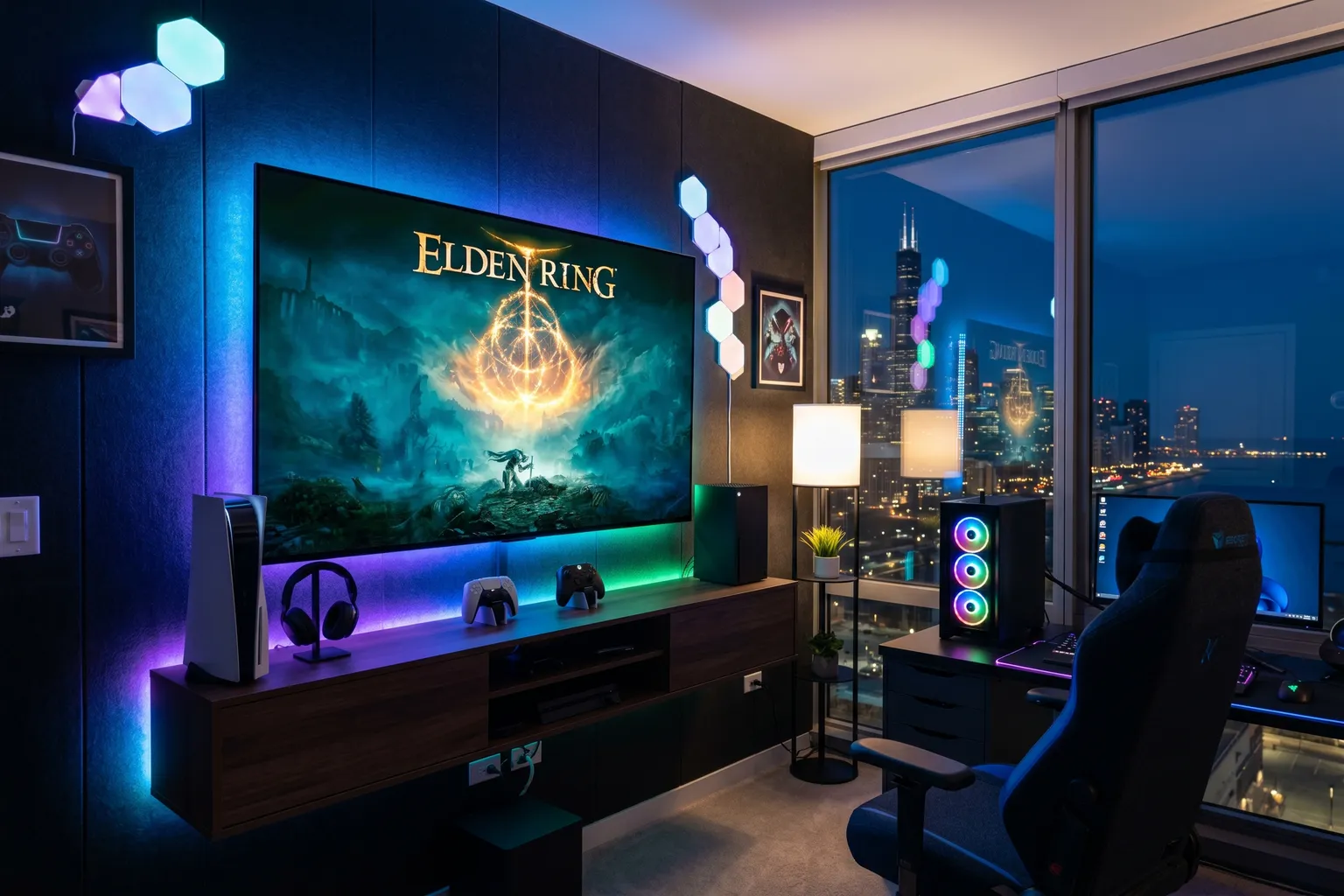
- Input lag under 10ms is non-negotiable for gaming — anything above that and you'll feel it in fast-paced games.
- HDMI 2.1 is required for 4K/120Hz gaming. Check that the port you're using is actually 2.1, not 2.0 hiding in the spec sheet.
- The LG C3/C4 OLED is the best gaming TV available — 1ms input lag, 120Hz, G-Sync + FreeSync, and true black levels that make dark games look genuinely different.
- If you game in a bright room, the Hisense U7 at around $848 will serve you better than OLED — 3,000 nits of brightness changes the equation entirely.
- VRR (Variable Refresh Rate) support matters if you're playing demanding titles that don't hold a locked 60 or 120fps.
Gaming TVs aren’t just TVs with “Game Mode” slapped on the box. There are actual specs that matter – and most TV marketing buries the important numbers under buzzwords.
Here’s what actually matters for gaming:
Input lag under 10ms. That’s the delay between your controller input and what appears on screen. Anything over that and fast-paced games start to feel unresponsive. Anything over 20ms and you’ll notice it even in slower titles.
120Hz refresh rate. Not just for the smoothness – 120Hz is the framerate ceiling for current-gen consoles. A 60Hz TV artificially limits your PS5 or Xbox Series X.
HDMI 2.1. This is where TVs get sneaky. HDMI 2.0 can do 4K at 60Hz, or 1080p at 120Hz – but not 4K at 120Hz simultaneously. For that, you need HDMI 2.1. Read the spec sheet. Some TVs have one 2.1 port and three 2.0 ports, which matters if you’re connecting multiple devices.
VRR (Variable Refresh Rate). Covers G-Sync (Nvidia), FreeSync (AMD), and HDMI Forum VRR. If your game drops frames, VRR prevents tearing and stuttering.
If you want more detail on picking a TV for your whole living room – not just gaming – check the best 65-inch TV roundup for broader guidance including streaming and home theater considerations.
Now, the picks.
Quick Comparison Table
| TV | Panel | Input Lag | HDMI 2.1 Ports | VRR | Price |
|---|---|---|---|---|---|
| LG C3/C4 OLED | OLED | ~1ms | 4 | G-Sync + FreeSync | ~$1,200 |
| Samsung QN90F Neo QLED | Mini-LED | ~1.1ms | 4 | FreeSync Premium Pro | ~$1,559 |
| Sony A80L OLED | OLED | ~1ms | 2 | FreeSync + HDMI VRR | ~$1,400 |
| LG G3 OLED | OLED | ~1ms | 4 | G-Sync + FreeSync | ~$1,800 |
| Hisense U7 | Mini-LED | ~5-10ms | 2 | VRR (up to 165Hz native) | ~$848 |
| Samsung S90F OLED | OLED | ~1.1ms | 2 | FreeSync + HDMI VRR (144Hz) | ~$1,200 |
| TCL QM85 65" | Mini-LED QLED | ~10ms | 2 | HDMI VRR | ~$650 |
| – | – | – | – | See TCL QM85 instead |
1. LG C3/C4 OLED — Best Gaming TV Period
LG C3 OLED 65" — ~$1,200 LG C4 OLED 65" — ~$1,500+
This isn’t a close call.
The LG C3 and C4 are the best gaming TVs available at their respective price points – full stop. Both panels run at approximately 1ms input lag in game mode. Both run at 120Hz. Both support G-Sync compatibility, FreeSync Premium Pro, and HDMI Forum VRR. All four HDMI ports are 2.1.
But what makes them special for gaming isn’t just the numbers. OLED’s pixel-level lighting means perfectly black shadow areas in games – no backlight glow bleeding into dark corners of the map. In horror games, atmospheric RPGs, space games – anything with intentional darkness – it’s genuinely a different experience compared to any LCD TV.
Automatic Game Mode (ALLM) activates the moment you plug in a console. The TV detects a game signal and switches modes without you touching anything. Combined with LG’s gaming dashboard overlay – which shows frame rate, VRR status, and black stabilizer settings without leaving the game – it’s the most complete gaming TV implementation I’ve encountered.
The C4 adds Wi-Fi 6E and the Gen7 processor for marginally better image processing, but the gaming specs are essentially identical. Buy whichever is cheaper.
2. Samsung QN90F Neo QLED — Best for Bright Gaming Rooms
Samsung replaced the QN90C with the QN90F.
Samsung QN65QN90F Neo QLED 65" — ~$1,559
OLED’s kryptonite is daylight. If you’re gaming in a room with large windows and no blackout curtains, a 3,000-nit Mini-LED display will look better than a 700-nit OLED under those conditions. Simple physics.
The QN90F is Samsung’s best non-OLED gaming TV. The Neural Quantum Processor handles real-time upscaling from older game content – last-gen titles look significantly better through Samsung’s processing. Anti-reflective coating on the screen is excellent; this is one of the best TVs for managing ambient light.
All four HDMI 2.1 ports. Input lag is around 1.1ms in game mode. FreeSync Premium Pro, now rated for VRR gaming up to 165Hz – a real bump from the QN90C’s 120Hz. HDR10+ gaming support is something Samsung has pushed hard, and it works well with compatible titles.
The tradeoff versus OLED: local dimming, even from Samsung’s excellent Mini-LED implementation, still shows some blooming around bright objects on dark backgrounds. It’s much better than traditional LED, but it’s not pixel-perfect. In most gaming content – especially brightly lit games – you won’t notice.
At $1,559, it’s among the more expensive TVs on this list. If bright room gaming is genuinely your situation, it earns that premium. Otherwise, the LG C3 is the better value.
3. Sony Bravia XR A80L OLED — Best for PlayStation 5
Sony A80L OLED 65" — ~$1,400
Sony makes the PlayStation and Sony makes this TV. That’s not an accident.
The A80L has dedicated PS5 features that no other TV can replicate. Auto HDR Tone Mapping automatically calibrates the TV’s HDR output specifically for PS5’s signal – you get optimal HDR in Sony first-party titles without touching a single setting. Auto Genre Picture Mode detects when you switch between gaming and streaming and adjusts picture settings automatically.
BRAVIA CORE streaming service is built in: you get access to some of the highest bitrate movie streams available – up to 80Mbps for certain titles. If movies are part of your gaming-adjacent setup, it’s legitimately great.
The Cognitive Processor XR handles upscaling well. Sony’s motion handling is excellent for 24fps cinematic games. OLED panel with 1ms response time, 120Hz, FreeSync Premium and HDMI Forum VRR. Two HDMI 2.1 ports – that’s the limitation that hurts in a multi-device setup.
Honest take: if you have a PS5 as your primary gaming device and you’re willing to spend $1,400, the A80L is purpose-built for that combination. For Xbox-primary setups, the LG C3 is the better all-rounder.
4. LG G3 OLED — Best Picture Quality Available
LG G3 OLED 65" — ~$1,800
The G3 is the best picture quality available in a 65-inch TV. That’s not hyperbole – it uses LG’s MLA (Micro Lens Array) technology, which dramatically increases light output compared to standard OLED. The G3 hits significantly higher peak brightness than the C3 or C4 while maintaining OLED’s perfect black levels.
For gaming: same 1ms input lag, same 120Hz, same full HDMI 2.1 on all four ports, same G-Sync and FreeSync Premium Pro. The gaming feature set is identical to the C3/C4. What you’re paying for is brighter HDR highlights and better performance in ambient light.
Is it worth $600+ more than the C3? For most people, no. The C3 and C4 are already excellent, and the average living room viewing distance means you won’t see the brightness difference for most content. The G3 makes more sense if you’ve already owned an LG C-series and want a meaningful upgrade, or if you’re building a dedicated home theater and want the absolute best.
5. Hisense U7 — Best Budget Gaming TV
Hisense U7 65" — ~$848
Hisense retired the U8N naming and the U7 is the current line filling that role. This is the real-world recommendation for anyone who can’t or won’t spend $1,300 on a TV.
At $848, the Hisense U7 gives you a native 165Hz refresh rate (up from the old U8N’s 144Hz), VRR, and HDMI 2.1 (two ports). Input lag in game mode is in the 5-10ms range – not OLED-class, but genuinely fast enough for everything except professional competitive gaming. The 3,000-nit peak brightness matches the old U8N’s standout spec, one that high-end TVs costing twice as much can’t match. HDR gaming content looks genuinely impressive.
Dolby Vision support is onboard – so titles like Forza Horizon 5 look stunning in ways cheaper TVs simply can’t do.
The caveat: local dimming is good but not great. Some blooming in high-contrast scenes. The operating system (Google TV) is solid. Build quality feels proportional to the price – it’s not the premium feel of an LG or Samsung, but it’s not cheap either.
If you have a PS5 or Xbox Series X and around $850 to spend, the U7 is what I’d tell you to buy.
6. Samsung S90F OLED — Best Samsung OLED for Gaming
Samsung replaced the S90C with the S90F.
Samsung S90F OLED 65" — ~$1,200
Samsung’s QD-OLED technology delivers genuinely excellent color – the Quantum Dot filter on top of OLED gives the S90F some of the most vivid, saturated colors of any TV on this list. For games with rich color palettes – RPGs, open-world games, anything stylized – it looks exceptional.
Gaming specs: ~1.1ms input lag in game mode, up to 144Hz (a real bump from the S90C’s 120Hz) via Motion Xcelerator, FreeSync Premium and HDMI Forum VRR. Two HDMI 2.1 ports, two 2.0. Samsung’s Gaming Hub lets you stream Xbox games directly to the TV without a console.
The honest limitation: it’s not as bright as Samsung’s own Neo QLED lineup. In a well-lit room, the QN90F will look better. And compared to LG’s C-series OLED, the S90F isn’t clearly better in any single category at a comparable price.
Where it wins: Samsung ecosystem integration. If you’re all-in on Samsung – Galaxy phone, Samsung soundbar, etc. – the S90F connects and cooperates with all of it natively. For dedicated Samsung households, that’s genuinely convenient.
7. TCL QM85 65" — Budget Alternative with Gaming Chops
TCL QM85 65" — ~$650
The QM85 is the 2024 version of TCL’s upper-mid tier – Mini-LED QLED, Dolby Vision IQ, and a Game Accelerator mode that pushes up to 240Hz at lower resolutions. At 4K, you’re looking at 120Hz like most of the competition.
Two HDMI 2.1 ports. VRR support through HDMI Forum. Input lag around 10ms in game mode – faster than older budget TVs, but not competitive with the premium options above.
This is the pick if you want TCL reliability at a price between the QM6K and the Hisense U7, with better local dimming than the QM6K. Not a top gaming TV, but a solid all-rounder that handles gaming well enough for most players.
8. Vizio P-Series Quantum — No Longer a 65" Option
The 2022 P-Series Quantum at 65" is gone from Amazon, and Vizio doesn’t have a clear current 65" gaming-spec successor listed there either – the issue foreshadowed in the general TV roundup (uncertainty about Vizio’s long-term software support after its 2024 acquisition) has played out as a genuine gap in this size and tier.
Start with the TCL QM6K or Hisense U7 instead – both currently outperform where the P-Series Quantum used to sit.
The Gaming TV Bottom Line
The answer hasn’t changed much: LG C3 OLED if you can spend around $1,200, and you have some control over room lighting. Everything – input lag, panel response, contrast, black levels, feature set – is best in class at that price.
Can’t or won’t spend $1,300? Hisense U7 at around $848 is the gap-filler that actually makes sense. It won’t give you OLED blacks, but it’ll give you a native 165Hz, VRR, and enough brightness to game in any light condition.
Everything else on this list exists for specific scenarios: the Sony A80L if you’re PS5-only, the Samsung QN90F if your room is a glass box, the LG G3 if you want the best of the best.
Pick the one that fits your room, your console, and your budget. Then stop reading and start playing.